MINISFORUM UM890 Pro review: a 96 GB-ready mini PC for local LLMs
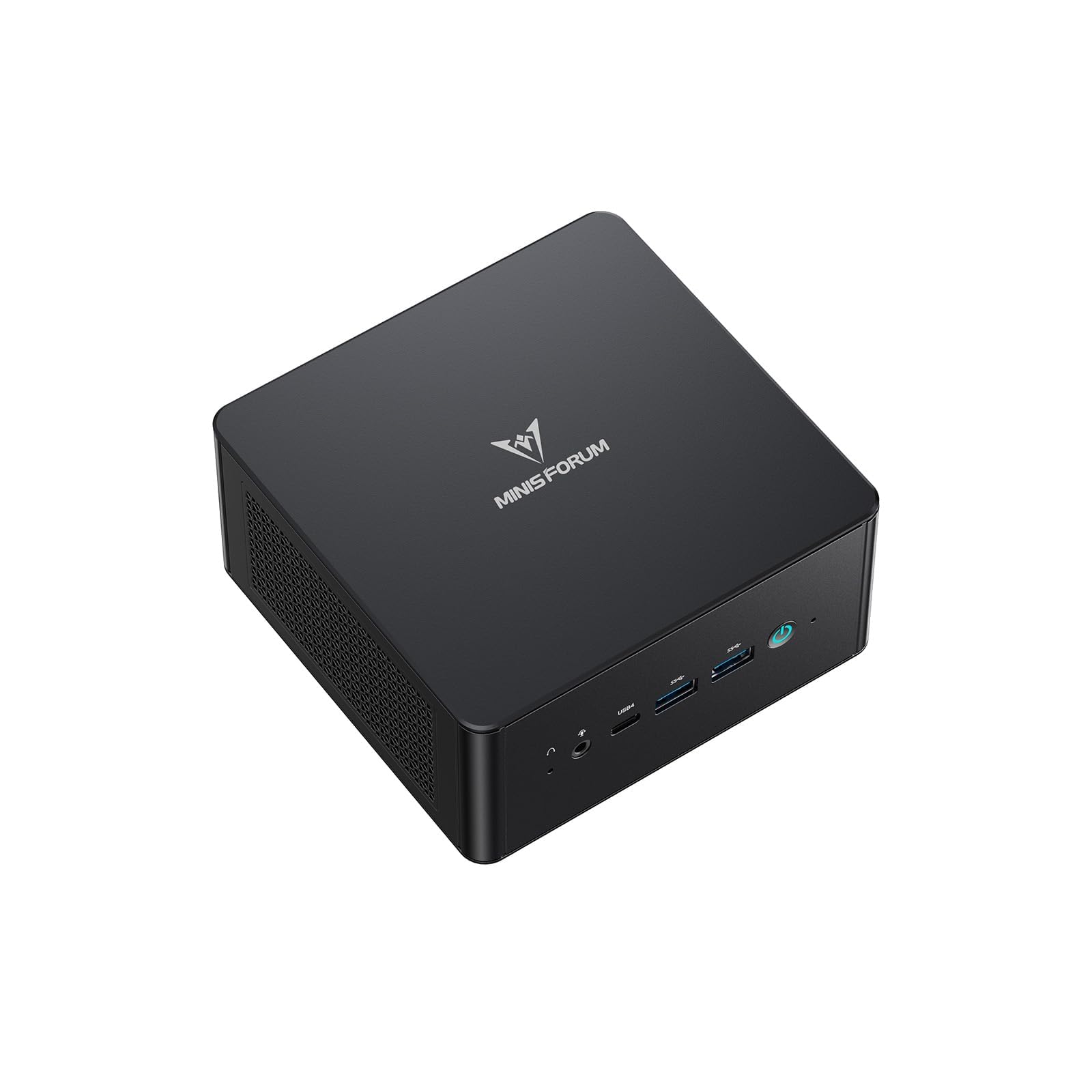

Up to 96 GB of RAM plus OcuLink, so it can load large models now and take an external GPU later
- Max Memory
- 96 GB
- Memory Bandwidth
- 89.6 GB/s
- GPU/NPU
- 16 TOPS
- 96 GB RAM: fits 70B quantized models
- OcuLink: add a desktop GPU later
- Shared DDR5 slows large-model tokens/sec
The UM890 Pro ships with 32 GB of DDR5 but accepts up to 96 GB, enough to load quantized models that a fixed-memory mini PC cannot even open. How fast those models answer depends on the Radeon 780M iGPU and conventional DDR5 memory bandwidth, and that trade-off shapes the whole review.
Design, build quality and cooling
The UM890 Pro is a compact desktop meant to sit on the desk, not under it, so its cooling has to handle long sustained loads without becoming a distraction. That matters more for local LLM work than for most mini PC uses. A coding assistant left running in Ollama, or a batch of summaries queued in LM Studio, can keep the Ryzen 9 8945HS and its Radeon 780M iGPU busy for many minutes at a time, rather than in the short bursts typical of office work.
Thermal design: built for long loads
MINISFORUM's CPU cooler pairs two 8 mm heat pipes with a high-density offset-blade fan. Offset (unevenly spaced) blades are a common way to move more air at a given speed while spreading the fan's noise across more frequencies, so it sounds less like a single tone. On the die itself, the company uses what it calls "liquid gold" CPU cooling material. MINISFORUM doesn't detail the compound beyond that name. Its job is to move heat from the 8-core, 16-thread chip into the heat pipes efficiently, so the processor can hold its clocks longer before throttling.
The more unusual feature is a dedicated active fan for the DDR5 and SSDs. Many mini PCs cool memory and storage only with whatever air the CPU fan happens to push past them. Local inference keeps the DDR5 busy for the whole generation, and the SSDs work too whenever you load or swap between models. Steady airflow over the SODIMMs and the two M.2 drives matters most if you later fill the machine toward its 96 GB ceiling or install a high-capacity PCIe 4.0 drive, since both tend to run warmer under sustained activity.
| Cooling element | What it does | Why it matters for local LLMs |
|---|---|---|
| 2× 8 mm heat pipes | Carry heat from CPU/iGPU to the fin stack | Higher sustained clocks during long prompt processing |
| High-density offset-blade fan | Primary CPU airflow | More airflow without a single-tone fan whine |
| "Liquid gold" thermal material | Die-to-cooler heat transfer | Helps the chip hold its clocks on long runs |
| Active DDR5 & SSD fan | Dedicated airflow over memory and storage | Keeps fully populated RAM and busy NVMe drives cooler |
Noise: audible, not intrusive
MINISFORUM rates the system at 43 dB in performance mode. The company doesn't state the measurement distance, so treat this as a manufacturer guide rather than a precise figure. For context, 43 dB sits only a little above the background level of a quiet room. Expect it to be audible during a long generation session, but closer to a soft fan hum than a laptop's high-pitched whine under load. That should be fine next to a desk while you code; for a silent bedroom or a recording space, it won't disappear.
Generation speed on this platform is limited mainly by memory bandwidth (GB/s), not by thermals. So good cooling won't raise tok/s much. Its job is to keep performance consistent across long sessions, and to stop prompt processing, which leans harder on the CPU and iGPU, from slowing down as the chassis heats up.
Internal access and recovery
Two practical details make this a machine you can actually upgrade. First, the two M.2 2280 PCIe 4.0 slots are designed for quick removal, so adding a second drive for a model library or swapping the boot SSD is a short job.
Second, there is a Clear CMOS button on the chassis. It is more useful here than it sounds. Owners running local LLMs often change BIOS settings, such as the memory reserved for the iGPU, and frequently install new SODIMMs to go from 32 GB to 96 GB. If a new memory kit fails to train or a BIOS change stops the machine from booting, one button press restores the defaults, with no need to open the case and short jumpers.
The upshot: the cooling is generous for a mini PC and targets exactly the parts a local LLM workload stresses: the CPU die, the DDR5 and the SSDs. What it buys you is steady operation at a rated 43 dB plus easy upgrades, which suits a machine whose main appeal is growing into larger models over time.
Local LLM performance: capacity versus speed
For local LLM work, the UM890 Pro is a capacity machine first and a speed machine second. Two numbers decide what it can do: how much memory the model can occupy, and how quickly that memory can be read. The UM890 Pro's expandable DDR5 makes the first one generous. The second is fixed by the platform.
What fits: why 96 GB changes the model list
At Q4 quantization, a model needs roughly 0.55–0.6 GB per billion parameters, plus extra memory for the context window's KV cache. Here is how that maps onto the retail 32 GB and the 96 GB maximum.
At 32 GB, 7B–14B models fit comfortably, and a 32B model fits only tightly. At 96 GB, a 70B-class Q4 model (around 40–43 GB) loads with roughly half the RAM still free. That spare memory can go to a larger context window, a second smaller model kept resident in Ollama, or the OS and browser you're running alongside.
| Model class (Q4) | Approx. weights size | Fits in 32 GB? | Fits in 96 GB? | Bandwidth-bound ceiling* |
|---|---|---|---|---|
| 7B–8B | 4–5 GB | Yes, easily | Yes | ~18–20 tok/s |
| 13B–14B | 8–9 GB | Yes | Yes | ~10 tok/s |
| 32B–34B | 18–20 GB | Tight, small context | Yes, with long context | ~4–5 tok/s |
| 70B–72B | 40–43 GB | No | Yes, ~50 GB to spare | ~2 tok/s |
*Theoretical upper limits, calculated by dividing roughly 90 GB/s of dual-channel DDR5-5600 bandwidth by the weights size. Real-world generation typically lands below these figures. These are arithmetic estimates, not measured results.
Why speed is bandwidth-bound
Generating each token means reading essentially the whole model from memory once. That makes memory bandwidth (GB/s), not core count, the limit on tokens per second. The Ryzen 9 8945HS's 8 cores and 16 threads mostly sit waiting on RAM during generation.
Dual-channel DDR5 on a 128-bit bus has a theoretical ceiling of around 90 GB/s. Strix Halo / Ryzen AI Max machines use a 256-bit LPDDR5X unified memory bus at roughly 256 GB/s, close to three times as much. The same 70B Q4 model will produce tokens about that much faster on a Strix Halo box. Changing quantization or software settings on the UM890 Pro cannot close a gap that large.
The trade-off runs the other way too. Soldered LPDDR5X can never be upgraded, while the UM890 Pro's SODIMMs can be. Prompt processing (reading in your input) depends more on compute and is less bandwidth-limited. Generation speed is what you notice in a chat window, though.
The Radeon 780M in practice
The Radeon 780M iGPU (up to 2,800 MHz) is where the useful acceleration comes from. llama.cpp-based tools such as LM Studio and Ollama can offload layers to it through Vulkan or ROCm backends. That noticeably speeds up prompt processing compared with CPU-only inference, and it frees the CPU cores for other work.
The onboard NPU is a different story. Mainstream llama.cpp tooling doesn't use it for LLM generation, so don't count it toward chat speed.
What the bandwidth math implies for everyday use:
- 7B–8B models feel responsive for chat, summarising and coding autocomplete.
- 14B models are usable at a steady reading pace.
- 70B-class models run, but at low single-digit tok/s. That's fine for batch jobs or overnight document work, and tedious for back-and-forth conversation.
Because the iGPU allocates its working memory from the same DDR5 pool, it has no dedicated VRAM. Every byte the iGPU uses comes out of the capacity described above.
Range across the products compared here
Reading the bars: price per usable model size
Read the comparison bars along two axes. Memory ceiling divided by price is where a $1,015, 96 GB-capable mini PC looks strong: it reaches 70B-class Q4 territory at a lower entry cost than Strix Halo machines with comparable memory.
Bandwidth is where it trails. If a rival's bar for memory bandwidth or iGPU strength is much taller, expect proportionally higher tok/s on the same model.
Remember that the listed price covers 32 GB. To reach the 96 GB tier you have to buy new SODIMMs on top of it, which raises the real cost per usable gigabyte. Even so, the UM890 Pro buys you the right to load big models cheaply, not the ability to run them quickly. If most of your work involves 7B–14B models, that distinction barely matters. If 70B chat is the goal, it is the deciding factor.
| Max Memory | 96 GB |
|---|---|
| Memory Bandwidth | 89.6 GB/s |
| GPU/NPU | 16 TOPS |
How it compares to the alternatives
At roughly $1,000, there are three realistic routes into local LLM hardware. Each solves a different bottleneck: how much model you can load, how fast it generates, and what you can change later. The UM890 Pro covers the first route on its own and the third with an add-on. The second route, Strix Halo, is the one it can't match on speed.
| Approach | UM890 Pro (780M + DDR5) | Strix Halo / Ryzen AI Max mini PC | UM890 Pro + OCuLink eGPU |
|---|---|---|---|
| Where the model lives | System DDR5 shared with the iGPU | Large unified memory pool on a wide bus | Graphics card VRAM |
| Capacity | 32 GB out of the box, up to 96 GB | Fixed at purchase, can be large | Limited to the card's VRAM |
| Generation speed (tok/s) | Moderate, capped by dual-channel memory bandwidth | Much higher, from a wider memory bus and bigger iGPU | Fastest, but only while the model fits in VRAM |
| Upgradeable memory | Yes, SODIMM | Usually no, memory is soldered | GPU can be swapped later |
| Extra cost | SODIMMs to go past 32 GB | Higher entry price | Graphics card, eGPU dock and power supply |
| Trade-offs | Speed ceiling on large models | Stuck with the RAM you bought | Desk space, and one M.2 slot used for OCuLink |
The UM890 Pro on its own: capacity per dollar
The case for the UM890 Pro rests on memory you can grow. Going from the stock 32 GB to 96 GB opens up 70B-class Q4 models with room left for a long context window. Because SODIMMs are standard parts, you can buy the base configuration now and add RAM when prices drop or your models get bigger.
The limit, as covered above, is memory bandwidth: adding RAM lets you load a larger model, but at roughly 90 GB/s a 70B Q4 model still tops out around 2 tok/s.
Strix Halo / Ryzen AI Max: speed, paid for upfront
Ryzen AI Max machines are a different class of chip: a 256-bit memory interface where the 8945HS has 128-bit, plus a much larger iGPU. With close to three times the bandwidth, mid-size and large quantized models generate at a noticeably more comfortable pace, which matters most if you chat interactively with 30B–70B models instead of running batch jobs.
The catch is the purchase model. These systems cost more upfront, and the memory is usually soldered LPDDR5X. You choose the capacity at checkout and keep it for the life of the machine. If you already know you need fast inference on large models, that is a fair trade. If you're still working out which models you'll actually use, the UM890 Pro's lower entry price and upgradeable RAM carry less risk.
UM890 Pro + OCuLink eGPU: the speed upgrade path
The OCuLink option gives the UM890 Pro a second life. Connect a desktop graphics card through an eGPU dock, and Ollama and LM Studio can run models from dedicated VRAM, which isn't limited by the shared DDR5 bus. Models that fit there generate much faster than on either iGPU option. This setup suits developers running 7B–14B coding models who want quick completions.
OCuLink is not built in. It occupies one of the two M.2 2280 slots, which leaves a single slot for storage. You also need to budget for the graphics card, a dock and its power supply, plus desk space for a second box. And once a model is larger than the card's VRAM, layers spill back into system DDR5, so speed falls back toward iGPU levels.
The useful part is that you don't have to commit at purchase. The UM890 Pro works as a quiet, high-capacity iGPU machine first. It becomes a VRAM-speed machine for smaller models only if and when you add a graphics card. Neither a Strix Halo mini PC nor a fixed-memory system lets you split the spending that way.
Pros
- 96 GB RAM: fits 70B quantized models
- OcuLink: add a desktop GPU later
- Two PCIe 4.0 slots store models
- 43 dB: quiet always-on AI server
- Two USB4 ports for fast external drives
Cons
- Shared DDR5 slows large-model tokens/sec
- OcuLink adapter uses up an M.2 slot
- Radeon 780M lacks CUDA, so setup takes more work