Apple Mac Studio (M5 Max) review: a quiet desktop built around memory bandwidth
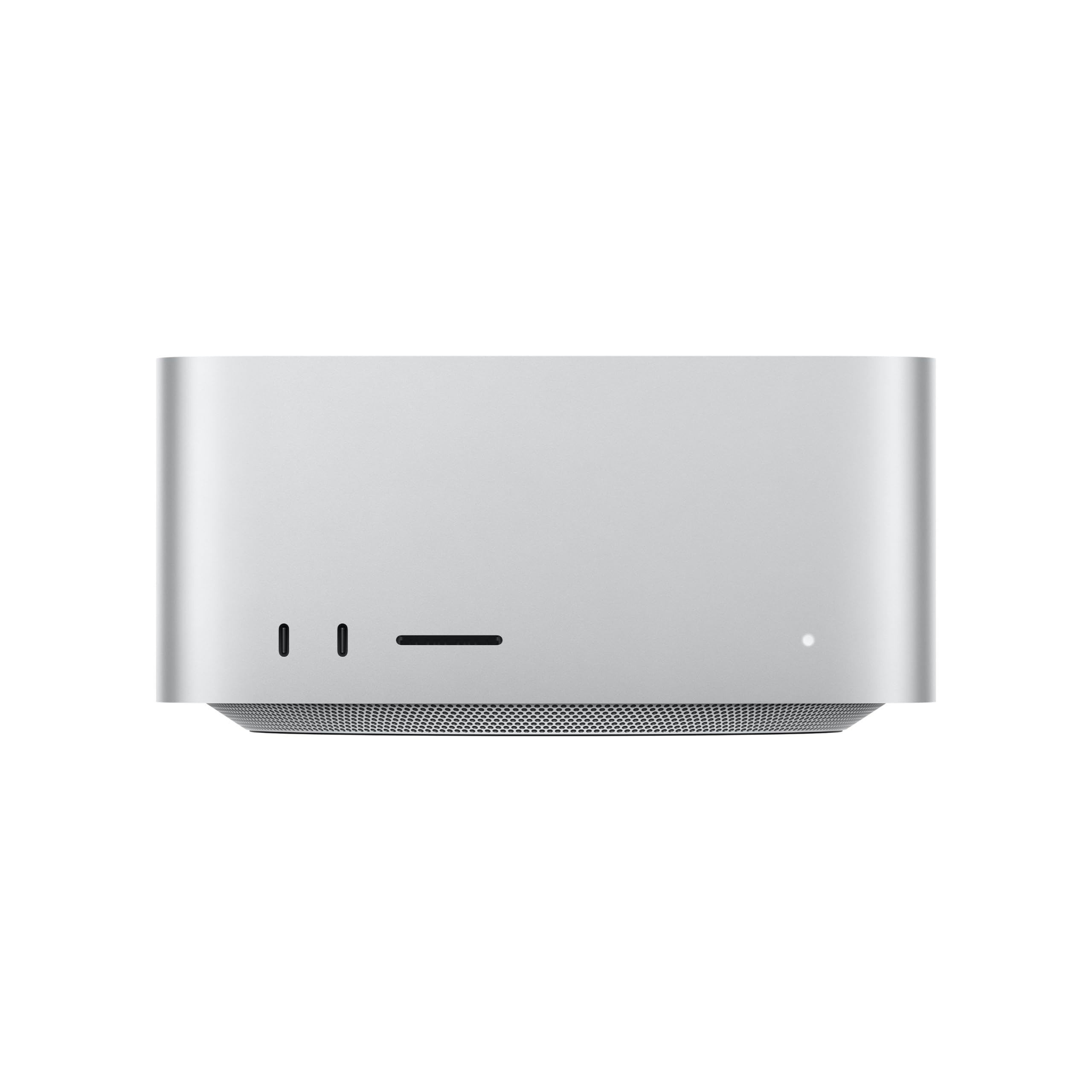

Up to 128GB unified memory at 614GB/s for running large LLMs quietly on your desk
- Max Memory
- 128 GB
- Memory Bandwidth
- 614 GB/s
- GPU/NPU
- 40 cores
- 128GB unified memory fits large quantized LLMs
- 614GB/s bandwidth speeds token generation
- 128GB cap limits the largest models
The spec that decides most M5 Max buyers is memory bandwidth, not CPU cores: up to 614GB/s feeding up to 128GB of unified memory. That combination sets your tokens per second on a local LLM and the largest scene or dataset you can keep in RAM. At around $2,299.99, the open question is how much of that ceiling your configuration actually reaches.
The Mac Studio (M5 Max) is a memory-bandwidth machine in a quiet, compact case. Choose it if you want to run a local LLM on your desk, or push large 3D scenes and media timelines, without a loud tower. Its biggest caveat: unified memory is fixed at purchase and tops out at 128GB, so the configuration you buy decides which models you can ever load.
What it does best
For anyone running models through Ollama, LM Studio, llama.cpp or MLX, generation speed is capped by how fast weights stream out of memory, not by core counts. That is why the 614GB/s figure leads this review. The tok/s arithmetic is worked out in the performance section below.
The same wide memory pipe helps creative work. Large 3D scenes, high-resolution timelines and big datasets all benefit from moving data quickly between the CPU, the GPU and the Neural Accelerator built into each GPU core.
Unified memory is the other half of the case. The CPU and GPU share one pool, so a model or scene can use most of the installed RAM. On a discrete graphics card, you would be capped by the card's VRAM. The performance section below shows what that means for 8B, 32B and 70B models at Q4.
The main caveat: check the memory tier
The retailer lists the machine at $2,299.99. The marketing copy says "up to 128GB unified memory" and "up to 614GB/s." Those are ceilings for the line, not promises about every configuration, and lower tiers can ship with less of both.
The memory amount matters most, for two reasons:
- It can't be upgraded later. There are no RAM slots.
- It decides which models fit. Model size depends on parameters and quantization (Q4 vs. Q8), and you also need headroom for the context window and macOS itself.
If your goal is 70B-class models, read the configuration details on the listing before checkout. Don't assume the headline specs apply.
| Spec that matters | What Apple quotes | Why it matters to a buyer |
|---|---|---|
| Memory bandwidth | Up to 614GB/s | Sets the upper limit on local LLM generation speed |
| Unified memory | Up to 128GB | Decides the largest model or project you can load |
| Thunderbolt 5 | Four ports | The path to PCIe expansion and multi-Mac clustering |
| Footprint | 7.7-inch square | Fits under most displays and is designed to run quietly |
Expansion works differently
You can't open the case to add a GPU or more RAM. Instead, expansion runs through four Thunderbolt 5 ports:
- You can attach PCIe enclosures for extra hardware.
- You can link several Mac Studios into a cluster that splits a model too large for one machine's 128GB.
Clustering is niche and multiplies the cost; the comparison section below weighs it against internal slots.
Quick fit check
Strong fit:
- Developers who want a private local LLM running at a usable tok/s.
- 3D and video artists who need large memory pools.
- Anyone who wants that in a box that fits under a monitor and stays quiet during long jobs.
Look elsewhere if:
- You game on Windows or depend on CUDA-only tooling.
- You expect to upgrade the RAM or GPU over time.
- You need a budget mini PC. At $2,299.99, the premium only pays off if you use the bandwidth and memory.
The comparison and buyer sections below go into each of these in detail.
Design and build quality
The Mac Studio (M5 Max) puts a high-bandwidth workstation chip in a box closer in size to a mini PC than a tower. Apple specifies a 7.7-inch square footprint and says it fits under most displays. That lets it sit in the dead space beneath a monitor or between a pair of speakers, so you don't give up a side of the desk or the floor space a mid-tower would take.
Footprint: mini PC territory, workstation intent
A footprint this size changes how the machine fits on a desk. A typical ATX tower lives on the floor and needs long cables to reach the monitor. The Mac Studio can sit within arm's reach, which shortens Thunderbolt and display runs. That helps if you plan to daisy-chain Thunderbolt 5 storage or a PCIe enclosure without buying longer certified cables.
Compared with Ryzen AI Max (Strix Halo) mini PCs, the size difference is small, and both sit on the desk rather than under it. The difference is in what the box holds: up to 128GB of unified memory and up to 614GB/s of memory bandwidth. That pairing usually comes in a much larger enclosure, which is what makes the Studio a workstation that can live on a shared-office or home desk instead of under it.
| Desk consideration | Mac Studio (M5 Max) | Typical tower with discrete GPU |
|---|---|---|
| Footprint | 7.7-inch square, fits under most displays | Floor or desk space for a full chassis |
| Placement | On the desk, near the monitor | Usually on the floor, longer cable runs |
| Built-in ports | Four Thunderbolt 5, two USB-C, two USB-A, HDMI, SDXC slot, headphone jack | Varies by case and motherboard |
| Internal upgrades | None; expansion via Thunderbolt 5 | PCIe slots, RAM slots, drive bays |
The trade-off: a small sealed box means no internal upgrades, so the memory tier you buy is the one you keep.
Thermal design: built around low noise under load
Apple says the Mac Studio's thermal system lets it handle intensive tasks while staying quiet. Apple doesn't publish a decibel figure for it, so treat this as a design goal rather than a measured number. Still, the stated intent matches the workloads this machine is sold for.
Noise matters for these workloads because they run for a long time. Generating with a local LLM can keep the GPU busy for minutes or hours at a stretch, for example during batch summarization, long context windows or agent loops. Long 3D renders and video exports are similar. On a desktop with a discrete GPU, that kind of load often means fans ramping up for the whole run. If the Studio delivers what Apple describes, you can leave an inference job or render running in a shared room, a home office or on a call without the machine becoming the loudest thing in it.
Apple describes the thermal system's goal, not a noise level. If silence under sustained load is a deciding factor for you, especially next to a microphone for podcasting or voiceover, look for independent sound measurements of your specific memory and chip configuration before you buy.
Built-in I/O: small detail, daily payoff
The built-in SDXC card slot, two USB-C and two USB-A ports make a bigger difference to daily use than they sound. Photographers and video editors can offload camera cards without a separate reader, and quick transfers to a portable SSD or a phone don't need a hub on the desk. Displays (up to five) and Thunderbolt 5 storage can stay plugged in permanently while the remaining ports handle short-term connections. The full port breakdown is in the connectivity section below.
Taken together, the design suits buyers who want workstation-class memory in a mini PC footprint, plan to expand outward through Thunderbolt rather than inward through slots, and run long jobs in rooms where fan noise is a problem.
Real-world performance for AI and creative work
The M5 Max matters most when generating text with a local LLM. Each new token requires the chip to read roughly the entire set of model weights from memory, so memory bandwidth (GB/s), not raw compute, usually sets the tokens per second (tok/s) ceiling. Apple quotes up to 614GB/s. A typical mini PC iGPU running on dual-channel DDR5 has a small fraction of that, so the Mac Studio's theoretical generation limit sits several times higher than the setups most budget buyers compare it against.
What 614GB/s means for tok/s
A useful rule of thumb is to divide bandwidth by the size of the quantized weights. The result is an upper bound, not a benchmark. Real throughput lands below it once software overhead, KV-cache reads and context length are included. Treat the figures below as arithmetic for planning.
| Model class | Approx. Q4 weight footprint | Theoretical ceiling at 614GB/s | Practical reading |
|---|---|---|---|
| 8B parameters | ~5GB | ~120 tok/s | Faster than you can read. Bandwidth is rarely the bottleneck. |
| 32B parameters | ~18–20GB | ~30 tok/s | Comfortable for coding assistants and chat |
| 70B parameters | ~40GB | ~15 tok/s | Usable for interactive chat, slower for long outputs |
The 70B row shows where bandwidth is the deciding spec. Halve the bandwidth and the same model drops toward single-digit tok/s, which feels sluggish in conversation. Note that 614GB/s is an "up to" figure. Confirm which bandwidth tier your chip configuration ships with before relying on these numbers.
Range across the products compared here
Capacity decides what fits
Bandwidth sets the speed, and unified memory sets which models you can load at all. With 128GB, a 70B model at Q4 quantization (around 40GB of weights) fits with plenty of room left for a usable context window, macOS and your other apps. That headroom matters because the KV cache grows with context length. A long document or codebase in context can add many gigabytes on top of the weights.
Smaller configurations narrow your options quickly. A lower-memory build will still run 7B–32B models well, but 70B-class models then require heavier quantization (Q3 or Q2, with noticeable quality loss) or don't fit at all. Unified memory can't be upgraded later, so choose the memory tier based on the largest model you expect to run, not the one you run today.
The $2,299.99 listing price does not by itself tell you how much unified memory or which bandwidth tier you get. Confirm both on the configuration page. Of all the specs, these two numbers have the biggest effect on local LLM capability.
Prompt processing, 3D and media
Generation depends on bandwidth, but prompt processing (prefill) depends on compute. When you paste a 20-page document into a chat, the model processes it in parallel before it outputs the first token. Apple's Neural Accelerator in each GPU core targets this matrix-heavy work. The practical benefit is a shorter wait before the response starts, which shows up most in retrieval-augmented setups and long-context coding sessions. The same accelerators support Apple's claims about real-time media generation, such as on-device image and video models that need sustained matrix throughput.
For 3D, third-generation ray tracing in hardware mainly helps viewport responsiveness. Ray-traced previews update faster while you light and shade a scene, so you spend less time waiting on draft renders. Unified memory also helps here. A large scene with heavy textures can use the same memory pool the GPU draws from, which avoids the out-of-VRAM failures that occur on discrete cards with fixed memory.
Faster storage shortens the waits between tasks
Apple claims up to 2x faster storage. This is easy to overlook, but it matters for this workload. A 40GB model file loads from SSD every time you switch models in LM Studio or Ollama, and video editors and 3D artists open multi-gigabyte project libraries many times a day. Faster reads mean less time looking at a loading bar when you swap between a coding model and a general chat model, or reopen a large timeline. Storage speed does not affect tok/s once a model is loaded, but it reduces the time spent switching between tasks.
| Max Memory | 128 GB |
|---|---|
| Memory Bandwidth | 614 GB/s |
| GPU/NPU | 40 cores |
How it compares to the alternatives
The Mac Studio (M5 Max) is not the only route to running a local LLM on your desk. Two alternatives come up most often: a Strix Halo / Ryzen AI Max mini PC, and a conventional desktop with a discrete GPU. Each one makes a different trade between memory capacity, memory bandwidth, price and how much you can change later. Before you compare price tags, work out which constraint you are trying to solve.
| Consideration | Mac Studio (M5 Max) | Ryzen AI Max (Strix Halo) mini PC | Desktop with discrete GPU |
|---|---|---|---|
| Memory architecture | Unified memory, one pool shared by CPU and GPU | Large iGPU sharing a single system memory pool | Separate VRAM on the card plus system RAM |
| Memory bandwidth | Up to 614GB/s (configuration-dependent) | Lower than the M5 Max | Very fast VRAM, but slower system RAM for anything that spills over |
| Large-model fit | Up to 128GB in one pool | Large shared pool | Limited by VRAM capacity per card |
| Operating system | macOS | Windows or Linux | Windows or Linux |
| Typical price position | $2,299.99 listed on Amazon | Usually lower | Scales widely with the GPU you choose |
| Upgrade path | Thunderbolt 5: PCIe expansion, clustering | Varies by model; some offer OCuLink for an eGPU | Internal slots: swap the GPU, add RAM |
| Memory upgradable later | No | Varies by model | Yes, for system RAM |
Strix Halo mini PCs: the same idea, cheaper and slower
AMD's Ryzen AI Max (Strix Halo) chips follow a design philosophy close to Apple's. A large iGPU draws on a big shared memory pool, so a model doesn't have to fit inside a small block of dedicated VRAM. In practice, a well-configured Strix Halo mini PC can also hold quantized models that would never fit on a mainstream graphics card.
There are two differences. First, these mini PCs usually cost less and run Windows or Linux, which matters if your toolchain or your games live there. Second, they offer lower memory bandwidth than the M5 Max's 614GB/s. Bandwidth sets how fast tokens stream out during generation, so the same Q4 model will generally produce fewer tok/s on the AMD machine.
If your local LLM use is occasional, the cheaper box is a rational choice. If you sit waiting on long responses every day, the Mac's bandwidth premium buys you less waiting.
Discrete-GPU desktops: fast VRAM, hard ceiling
A desktop with a dedicated graphics card has a different shape. VRAM is very fast, and for models that fit entirely on the card, it is hard to beat for raw throughput. The catch is capacity. Once a model, plus its context window, outgrows the card's VRAM, layers spill into much slower system RAM, and tok/s drops sharply.
That is the scenario unified memory is built to avoid. On the Mac Studio, the CPU and GPU address one pool, so a 70B-class Q4 model either fits or it doesn't. There is no fast-tier/slow-tier split to manage with offload settings in llama.cpp or LM Studio.
The discrete-GPU route still wins on two fronts:
- CUDA-dependent tooling. Some workflows simply require an Nvidia card.
- Models small enough to sit entirely in VRAM. These stay on the card's fastest memory.
Upgrade paths: Thunderbolt 5 instead of slots
This is where the Mac asks for the most commitment. Unified memory cannot be added after purchase. Whatever tier you configure on day one is the ceiling for the life of the machine. There are no internal PCIe slots, and the Mac doesn't follow the OCuLink-eGPU path some mini PC owners use to bolt on a graphics card.
Instead, expansion runs through the four Thunderbolt 5 ports:
- PCIe enclosures for storage or capture hardware.
- Clustering several Macs to split a model too large for one machine. Apple explicitly positions these ports for this "clustered AI compute" use.
Clustering is a real option for scaling beyond 128GB. It is also a far more expensive way to add capacity than dropping more RAM into a tower.
The practical rule:
- Desktop with a discrete GPU: best if you want to swap parts over the years.
- Strix Halo mini PC: best if you want the large-pool concept at a lower price on Windows or Linux.
- Mac Studio: best if you want the most bandwidth and capacity in one quiet box, and you can size the memory correctly up front.
Who should buy it and who should skip it
The Mac Studio (M5 Max) fits a narrow set of buyers. It suits people whose workload is limited by memory bandwidth and unified memory capacity, and who are willing to choose their configuration once and keep it. If neither describes you, most of its $2,299.99 price buys headroom you won't use.
The strongest fits
Developers running a local LLM privately get the most from it. With up to 614GB/s of memory bandwidth and up to 128GB of unified memory, it can hold a Q4-quantized 70B model and still leave room for a usable context window. The prompts, code and documents never leave the machine, which matters for proprietary codebases, client data, or anything under an NDA. Ollama, LM Studio, llama.cpp and MLX all run natively, so you are not fighting the toolchain to get started.
Video and 3D artists working across several screens are the second group. Support for up to five external displays, four Thunderbolt 5 ports for fast storage, and a built-in SDXC slot cover a typical edit-or-render setup without docks. The same unified memory pool that serves LLMs also lets complex 3D scenes and long timelines stay resident instead of swapping.
Anyone who needs a quiet desk machine under constant load should also take a close look. Apple designed the thermal system to keep noise low during sustained work. A box that runs inference or renders for hours a few feet from your ears is a different experience from a tower with spinning GPU fans.
Good for
- Developers running 30B–70B-class local LLMs on private code or documents, using Ollama, LM Studio, llama.cpp or MLX
- Video editors and 3D artists driving three to five external displays from one compact machine
- Researchers who want tok/s driven by 614GB/s memory bandwidth instead of PCIe transfers between system RAM and VRAM
- Home offices and studios where a loud tower under sustained load is a dealbreaker
- Buyers who plan to expand over Thunderbolt 5, through PCIe enclosures or by clustering a second Mac, rather than through internal slots
Not for
- Windows gamers, since most anti-cheat titles and much of the PC library won't run on macOS
- Workflows that depend on CUDA-only tooling, such as some training stacks, custom kernels or vendor plugins
- Tinkerers who expect to add RAM or swap the GPU in two years
- Buyers aiming at 70B-class models on a lower-memory configuration
- Budget mini PC shoppers who mostly need office work and light editing
Who should skip it
Windows gamers should look elsewhere. macOS gaming has improved, but a Windows desktop with a discrete GPU will run far more of your library for less money.
CUDA-dependent work is the second hard stop. MLX and llama.cpp handle inference well on Apple silicon. However, fine-tuning pipelines, research repos and commercial tools written only for NVIDIA GPUs either won't run or need porting. If your daily job depends on CUDA, buy a machine with an NVIDIA card.
Upgrade-minded buyers should know that nothing inside the Mac Studio is user-upgradable. You can't add RAM later or swap in a newer GPU. Expansion happens over Thunderbolt 5 instead.
Size memory for your largest model
Beyond the roughly 40GB of Q4 weights for a 70B model, budget for the KV cache, macOS and your open apps. Lower-memory configurations handle 7B–32B models well but can't grow into 70B-class work, so if 70B is the goal, the 128GB tier is the one to order.
| Your main workload | Recommendation | Why |
|---|---|---|
| Private local LLM, up to 70B at Q4 | Buy, 128GB tier | Weights plus context fit within the unified memory pool |
| Local LLM, 7B–32B models only | Buy a lower tier, or consider a cheaper Mac | Bandwidth helps, but you won't use the extra capacity |
| Multi-display video / 3D production | Buy | Five-display support, Thunderbolt 5 storage, quiet under load |
| Windows gaming | Skip | Game compatibility is limited on macOS |
| CUDA training or CUDA-only plugins | Skip | No NVIDIA GPU support on Apple silicon |
| Gradual upgrades over several years | Skip | RAM and GPU cannot be upgraded internally |
Pros
- 128GB unified memory fits large quantized LLMs
- 614GB/s bandwidth speeds token generation
- Thunderbolt 5 ports enable multi-Mac clustering
- Quiet cooling suits always-on home inference
- 7.7-inch body fits under a monitor
Cons
- 128GB cap limits the largest models
- No CUDA: relies on Metal/MLX tooling
- Memory can't be upgraded after purchase
Verdict
The Mac Studio (M5 Max) is a strong buy for local LLM and heavy 3D or media work because it pairs up to 614GB/s of memory bandwidth with up to 128GB of unified memory in a quiet 7.7-inch desktop. Its value depends on ordering enough memory, because that number decides which models you can run.
The case rests on bandwidth-bound work: a theoretical ceiling of roughly 15 tok/s on a 70B Q4 model, one unified pool instead of a separate VRAM budget, and per-core Neural Accelerators plus third-generation ray tracing for prompt processing, rendering and real-time media.
The buyer it suits best
The ideal owner runs local LLMs privately or does heavy 3D, video and media work, and also wants a machine that stays quiet and takes up little desk space. A tower with a large discrete GPU rarely matches the Studio's combination of a 7.7-inch footprint and a thermal system designed for low noise under sustained load. Thunderbolt 5 clustering and PCIe enclosures partly offset the missing internal slots.
The risk: buying too little unified memory
The most common mistake with this machine is ordering too little unified memory. Don't assume the $2,299.99 listing includes the 128GB ceiling or the full 614GB/s; confirm both, and size memory for the largest model you plan to run plus room for context.
| If your main goal is… | Prioritize | Why |
|---|---|---|
| 70B-parameter models at Q4 quantization | The 128GB unified memory tier | Weights, a usable context window, macOS and your other apps all share one pool |
| 7B–30B-class models, coding assistants, RAG experiments | A mid memory tier with headroom | Smaller quantized models fit comfortably, and bandwidth still sets tok/s |
| Large 3D scenes, multi-camera video, multi-display grading | Memory first, then storage | Complex scenes and long timelines grow to fill the available unified memory |
| Creative work with modest project sizes | A lower tier, or a lower-tier Mac | You'd pay for bandwidth and capacity you won't use |
A simple rule: pick the model before you pick the memory tier. If a model doesn't fit in memory at your chosen quantization, no amount of bandwidth will make it run well. If you're unsure between two tiers, the bigger pool usually ages better, because open-weight models keep getting larger.
Who should look elsewhere
The Mac Studio is a poor fit for three groups:
- Budget mini PC buyers. At $2,299.99, it costs more than most mini PCs. A Ryzen AI Max (Strix Halo) mini PC also offers a large iGPU with a shared memory pool. It's the closest alternative if your priority is the cheapest way to load big models, rather than the best mix of bandwidth, silence and software support.
- Windows gamers and CUDA-dependent users. Some training frameworks, research code and enterprise tools assume NVIDIA. If yours do, a desktop with a discrete GPU will save you a lot of trouble, even if its VRAM limits the size of models you can run.
- People who upgrade parts over time. RAM and GPU are fixed; Thunderbolt 5 is the only expansion route.
Bottom line
Buy the Mac Studio (M5 Max) if your bottleneck is memory bandwidth and capacity and you want that performance in a quiet, compact box. Before you order, decide which models or projects set your memory requirement, then make sure the configuration in your cart meets it.