GEEKOM A9 Max review: a fully loaded Strix Point mini PC, not a Strix Halo
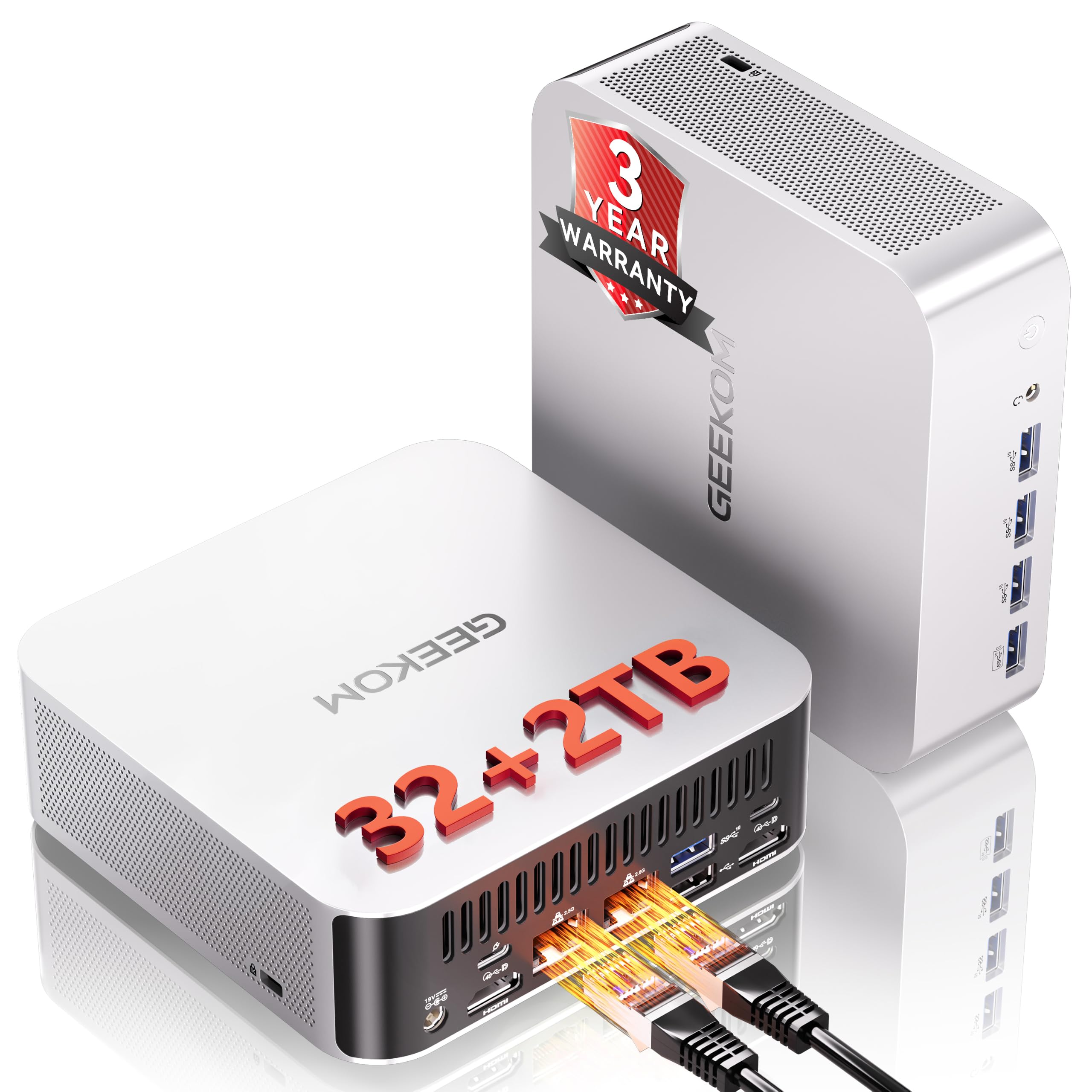

Ryzen AI 9 470 mini PC with room for 128 GB RAM to run larger local LLMs
- Max Memory
- 128 GB
- Memory Bandwidth
- 89.6 GB/s
- GPU/NPU
- 86 TOPS
- 128 GB RAM ceiling fits bigger models
- 2TB SSD stores many model files
- Stock 32GB limits model size
The GEEKOM A9 Max uses AMD's Ryzen AI 9 HX 470 (Strix Point), not Strix Halo, and that one detail shapes every judgment in this review. For $1,599 you get a 12-core CPU, a Radeon 890M iGPU, a 55 TOPS NPU, 32GB of DDR5 and 2TB of storage in a metal mini PC. For local LLM work, though, the real limit is socketed DDR5 memory bandwidth, not the 86 TOPS on the box.
Pros
- 128 GB RAM ceiling fits bigger models
- 2TB SSD stores many model files
- Dual 2.5GbE for serving models locally
- Runs four displays without a dock
- 3-year warranty, beats typical 1-year
Cons
- Stock 32GB limits model size
- Shared DDR5 slows tokens vs. dedicated GPUs
- 55 TOPS NPU underused by LLM apps
Design, build quality and cooling
The A9 Max follows the template of GEEKOM's higher-end mini PCs: an all-metal chassis rather than the plastic shell found on many budget machines. At $1,599 that is expected, but it also matters for cooling. A metal enclosure spreads heat and resists flex, and it holds up better on a desk where it gets moved, cabled and re-cabled. Because the A9 Max can drive four displays and has dual 2.5GbE, it is likely to spend its life with a lot of cables attached. That makes a rigid body more useful than it would be on a simple office box.
IceBlast 3.0: copper, two heat pipes, one fan
GEEKOM's IceBlast 3.0 cooler uses a large copper heatsink, dual heat pipes and a single fan. This is a conventional layout for a mini PC, and the hardware is reasonable for a Strix Point chip. Copper moves heat away from the die faster than aluminium. Two heat pipes give the heat a wider path to the fin stack. A single fan keeps the design simple and avoids the higher-pitched whine that two small fans can produce.
The constraint is sustained load. A 12-core / 24-thread Ryzen AI 9 HX 470 boosting to 5.2GHz will reach high clocks in short bursts on almost any cooler. The real question is what happens 10 or 20 minutes into a Blender render, a large compile, or a long batch of local LLM inference. In a chassis this size, one fan has to choose between moving more air and staying quiet. That choice is what the two power modes control.
| IceBlast 3.0 element | What it does | Why it matters |
|---|---|---|
| Large copper heatsink | Absorbs and spreads heat from the APU | Helps hold boost clocks before the fan needs to ramp up |
| Dual heat pipes | Carry heat to the fin stack | Improves heat transfer under all-core loads |
| Single fan | Moves air through the fins | Simpler acoustics, but sustained load relies on one fan |
| Standard / Performance modes | Set the cooling and power behaviour | Let you choose between lower noise and higher sustained clocks |
Standard vs Performance: choosing noise or clocks
The Standard and Performance modes let you trade fan noise for sustained clock speed. GEEKOM does not publish power limits or noise figures for either mode in its listing, so we won't guess at numbers. In practice the trade-off works like this:
- Standard is suited to office work, browsing, video calls, and interactive chat with a 7B–14B model. In these tasks the load comes in short bursts and the fan has time to slow down between them. Most owners will likely leave it here.
- Performance is intended for long renders, video exports, compiles and extended inference runs. Examples include summarizing a folder of documents overnight or running a coding assistant across a large repository. You should expect more fan noise in return for clocks that drop less as the chassis warms up.
Generation speed (tok/s) on this machine depends mainly on memory bandwidth, not on CPU clock speed, so Performance mode will not significantly speed up token generation. It is more useful for prompt processing on long context windows and for mixed workloads, where the CPU and iGPU are under load at the same time as inference.
Certifications and warranty
The A9 Max carries CE, FCC, CB, RoHS, SRRC and CCC certifications. Together they cover electrical safety (CB, CE, CCC), radio-frequency compliance for the WiFi 7 radio (FCC, SRRC), and restrictions on hazardous substances (RoHS). The list is useful mainly for businesses and labs whose procurement process requires documented compliance before a device can go on the network. For a home buyer, it is a baseline assurance rather than a reason to choose this model.
The 3-year limited warranty is the stronger point. It starts from the purchase date and covers defects in materials and workmanship. That includes a failing fan, a faulty port or a component that dies early. It does not cover accidental damage or wear from misuse. Since a single fan is the main moving part in a sealed mini PC, three years of coverage is a practical benefit if you plan to run it hard in Performance mode.
Local LLM performance: what 86 TOPS really buys you
The headline 86 TOPS is a platform total. The largest share, 55 TOPS, comes from the XDNA 2 NPU, and the rest from the CPU and Radeon 890M iGPU. The catch is that the tools most people use for a local LLM, Ollama, LM Studio and llama.cpp, run their inference on the CPU or the iGPU, not the NPU. LM Studio's Vulkan llama.cpp runtime can offload layers to the 890M. Ollama's GPU support on this chip depends on its version and backend, so it may fall back to the CPU.
NPU-native paths do exist through AMD's own Ryzen AI software stack and a few NPU-specific runtimes. They are narrower in model choice and less polished than the mainstream tools. In practice, the NPU mainly helps with Windows Copilot+ features and low-power background AI tasks. If you're buying the A9 Max to make Ollama faster, the TOPS figure won't tell you much.
What actually fits in 32GB
For generating text, two things matter: how much memory the model needs and how much memory bandwidth (GB/s) the system can feed it. The included 32GB of DDR5 is shared between Windows, your apps, the iGPU and the model. Windows itself plus a browser typically needs 6–8GB, so plan around roughly 22–24GB for the model and its context window.
| Model size | Quantization | Approx. weight size | Fit on the 32GB config |
|---|---|---|---|
| 7B–8B | Q4 | ~4–5GB | Easy, with ample room for a long context window |
| 7B–8B | Q8 | ~8GB | Comfortable |
| 14B | Q4 | ~9GB | Comfortable, the best balance for coding assistants |
| 14B | Q8 | ~15GB | Fits, but leave other apps light |
| ~30B–32B | Q4 | ~18–20GB | Practical ceiling, with a modest context window |
| 70B | Q4 | ~40GB | Won't load without a RAM upgrade |
7B–14B models at Q4 or Q8 are the comfortable range for this machine. That covers capable coding assistants, document summarizers and chat models, all with enough headroom for a context window you can actually use. A ~30B model at Q4 will load, but it eats most of the free memory and runs noticeably slower, so it works better for occasional heavier questions than for an always-on assistant.
Why 128GB doesn't turn it into a 70B machine
The RAM is expandable to 128GB, so 70B models at Q4, and even some larger mixture-of-experts models, will load. Loading a model and running it at a useful speed are different problems, though. Each generated token has to read roughly the full set of active weights from memory, and dual-channel DDR5 delivers on the order of 80–100 GB/s in theory.
Divide that by a ~40GB 70B Q4 model and the theoretical ceiling is around 2 tok/s, and real-world results land below the theoretical figure. That pace works for an overnight batch summary but is too slow for interactive chat. This bandwidth limit is the main reason the A9 Max sits in a different class from wider-bus Strix Halo machines.
If you're adding RAM to experiment with larger models, buy a matched pair of SO-DIMMs so the system stays dual-channel. A single stick halves memory bandwidth and therefore roughly halves tok/s. Above the 32GB baseline, extra capacity helps you run several mid-size models at once or longer context windows more than it helps 70B speed.
Reading GEEKOM's claim correctly
GEEKOM promises support for "compatible quantized LLMs" and VLMs. That wording is more accurate than the "large enterprise AI models" phrasing elsewhere on the listing. The realistic picture is small and mid-size quantized models kept on-device, which is useful for proprietary code, financial models or client documents that shouldn't leave the office. GEEKOM's own copy also points to cloud AI "when needed" for larger models and deeper reasoning. Taken that way, the A9 Max is a private, capable local AI box for 7B–14B workloads, not a replacement for a high-bandwidth inference rig.
Gaming and creative workloads
The Ryzen AI 9 HX 470 is the most convincing part of the A9 Max's performance story. 12 cores and 24 threads with boost clocks up to 5.2GHz is a lot of CPU for a mini PC, and it fits work that scales across threads: compiling large projects, running static analysis over a big codebase, batch-exporting photos, or transcoding a folder of clips overnight. These jobs run for minutes at a time, so the Performance mode covered in the cooling section matters here. It lets the chip hold higher clocks for longer, at the cost of more fan noise.
What the 1080p gaming numbers actually mean
GEEKOM's gaming figures come with qualifiers that buyers should read closely. The company cites Radeon 890M platform results, not measurements from this specific unit, of up to 90 FPS in Cyberpunk 2077, 99 FPS in Forza Horizon 5 and 130 FPS in F1 24, and only "with optimized settings and supported upscaling or frame generation."
| Claim | Condition attached | Realistic reading |
|---|---|---|
| Up to 90 FPS, Cyberpunk 2077 | Upscaling or frame generation | Best case at 1080p with reduced settings |
| Up to 99 FPS, Forza Horizon 5 | Optimized settings | Best case, not a typical-settings average |
| Up to 130 FPS, F1 24 | Upscaling or frame generation | Best case for a lighter-running racer |
Treat these as ceilings, not averages:
- Upscaling renders each frame below 1080p and then scales it up.
- Frame generation inserts interpolated frames. This raises the FPS counter, but input feel stays close to the lower native frame rate.
Realistically, expect the Radeon 890M to handle 1080p at medium-to-low settings in demanding AAA games, and higher settings in esports titles and older games. Two limits are worth keeping in mind:
- The iGPU has no dedicated VRAM. It borrows from the 32GB of system memory, so heavy texture settings also eat into RAM you might want for other work.
- It does not reach discrete-GPU territory. If 1440p at high settings is the goal, this is the wrong machine, and an iGPU-only mini PC at $1,599 is a costly way to game.
Video editing and CAD
For video editing, the CPU and iGPU work as a team. The Radeon 890M's media engine handles hardware decoding and encoding of common codecs, which keeps 4K timeline scrubbing responsive. The 12-core CPU covers effects and exports that don't run on the GPU. GEEKOM's "8K video editing" claim is best read as 8K playback and output capability, not a promise of smooth multi-layer 8K grading. Expect to use proxy workflows for heavy 8K or high-bitrate footage, as you would on most laptops. The 2TB SSD helps here, because active projects and caches can live on internal storage instead of an external drive.
CAD splits by workload:
- 2D drafting and moderate 3D assemblies are well within reach.
- Large assemblies, complex simulations and GPU-heavy rendering will strain an integrated GPU.
- If your CAD vendor certifies specific workstation graphics drivers, check its compatibility list before buying. Consumer Radeon iGPUs are not always on it.
The four-display setup
The multi-display support is the most practical feature for professional desks. The A9 Max supports four independent displays and 8K output directly from the mini PC, with no docking station required. That suits several setups:
- A trading or finance desk with dashboards spread across monitors.
- An editor with the timeline on one screen, preview on a second, and bins or scopes on a third.
- An engineer keeping CAD, documentation and a terminal visible at once.
Driving four screens has a cost. Each high-resolution display adds load to the iGPU, so a desk with four 4K panels suits productivity work, not gaming across all of them. For office and creative layouts, though, leaving out a dock removes one cost, one power brick and one common source of display dropouts.
| Max Memory | 128 GB |
|---|---|
| Memory Bandwidth | 89.6 GB/s |
| GPU/NPU | 86 TOPS |
How it compares and whether it's worth $1,599
The A9 Max uses Strix Point. At $1,599 it is priced near mini PCs built on Strix Halo, which AMD sells as Ryzen AI Max. Both are AMD APUs with large integrated GPUs, but they handle memory differently, and memory decides how fast a local LLM runs. Token generation is limited mainly by memory bandwidth (GB/s): every new token requires reading the model's weights from RAM. A faster NPU or a higher TOPS rating does not change that.
Range across the products compared here
Strix Halo: same vendor, very different memory
Ryzen AI Max machines have a 256-bit LPDDR5X memory bus, twice the width of the dual-channel DDR5 in the A9 Max. They are also sold with up to 128GB of unified memory, and a large share of it can be assigned to the iGPU. The result is much higher tok/s on 30B–70B models.
For example, a 70B model at Q4 fits in 128GB on either platform. On the A9 Max's narrower bus, it generates slowly enough to feel like batch processing. On the wider Strix Halo bus, it is closer to usable for interactive chat.
If running local LLMs is the main reason you're buying a mini PC, that bandwidth gap matters more than any other spec on this page. For 7B–14B models, the gap still exists but matters less, because both platforms run those at speeds that feel comfortable to read along with.
Apple Silicon: bandwidth plus a mature software path
A Mac mini or Mac Studio has the same structural advantage. Apple's unified memory sits on a wide, high-bandwidth bus, and the Pro and Max chips push bandwidth well beyond what socketed dual-channel DDR5 can reach. MLX is tuned for that design, and llama.cpp, Ollama and LM Studio all run well on macOS.
The trade-offs are the reverse of the A9 Max:
- No upgrades. Mac memory and storage are fixed at purchase.
- Expensive capacity. Adding storage at checkout costs a lot.
- Platform change. You leave Windows behind.
| What decides LLM speed | GEEKOM A9 Max (Strix Point) | Ryzen AI Max (Strix Halo) | Mac mini / Mac Studio |
|---|---|---|---|
| Memory bus | Dual-channel DDR5 (128-bit) | 256-bit LPDDR5X | Wide on-package unified memory |
| Max memory | 128GB via upgrade | Up to 128GB, fixed at purchase | Fixed at purchase |
| RAM upgradeable later | Yes | No (soldered) | No |
| Comfortable model range | 7B–14B; larger models load but run slowly | 30B–70B at usable tok/s | Depends on chip tier; strong with MLX |
Where the $1,599 actually goes
Inference speed is not the A9 Max's selling point. Its value comes from what is included and what you can change later:
- 2TB of storage out of the box, with a second M.2 slot for expansion up to 8TB. This is enough space for a library of quantized models plus project files.
- Upgradeable RAM, from 32GB to 128GB. You can start at 32GB and expand later; Strix Halo and Apple buyers have to choose their memory on day one.
- Dual 2.5GbE, useful for NAS-backed model storage or for keeping a lab network separate from an office network.
- A 3-year limited warranty, compared with the 1-year terms common on mini PCs. Over the life of a machine that may run around the clock, that difference has real value.
When comparing against cheaper mini PCs, check whether their price covers a 1TB drive, a single LAN port and one year of warranty; matching the A9 Max's 2TB, dual 2.5GbE and three years narrows the gap.
The value math
Pay $1,599 for the A9 Max if you want a quiet, well-connected Windows workstation that runs 7B–14B models well and can grow with you. Spend the same money on Strix Halo or Apple Silicon if your workload depends on 30B–70B models at chat speed. The A9 Max cannot close that bandwidth gap, even at 128GB of RAM.
Disclosure: some links in the table below are affiliate links. If you buy through them, we may earn a commission at no extra cost to you. This doesn't affect how we assess products.
Strix Point vs. the alternatives: current prices
| Product | Rating | Price | Buy |
|---|---|---|---|
 Apple Mac mini (M5 Pro) 307GB/s unified memory for running local LLMs from a five-inch desktop +307GB/s bandwidth: faster LLM token generation+GPU Neural Accelerators: quicker prompt processing -Fixed memory: choose LLM capacity upfront | $1,549.00 | Buy → | |
 Apple Mac Studio (M5 Max) Up to 128GB unified memory at 614GB/s for running large LLMs quietly on your desk +128GB unified memory fits large quantized LLMs+614GB/s bandwidth speeds token generation -128GB cap limits the largest models | $2,299.99 | Buy → | |
 AMD Ryzen AI Halo Editor's Choice 128GB unified memory to run up to 200B-parameter models locally on Linux +128GB shared pool: loads 200B models+Preloaded ROCm stack: less Linux setup -256 GB/s limits dense-model token speed | $4,760.00 | Buy → | |
| Apple Mac mini (M6) Best Value Up to 32GB unified memory and 170GB/s in a 5x5-inch box for quiet, always-on local LLMs +32GB unified memory fits ~30B quantized models+GPU Neural Accelerators speed prompt processing -170GB/s bandwidth limits tokens per second | $779.00 | Buy → | |
 GEEKOM A9 Max Ryzen AI 9 470 mini PC with room for 128 GB RAM to run larger local LLMs +128 GB RAM ceiling fits bigger models+2TB SSD stores many model files -Stock 32GB limits model size | $1,599.00 | Buy → |
Prices as of Nov 12, 2026; they may have changed since.
Who should buy the GEEKOM A9 Max
The A9 Max makes the most sense when local AI is one workload among several, not the only reason you're buying. Its strengths are the 12-core/24-thread Ryzen AI 9 HX 470, 32GB of DDR5 that expands to 128GB, a 2TB SSD, four-display output and a 3-year warranty. Its ceiling is dual-channel memory bandwidth, which caps how fast large models generate tokens. That combination points to some clear buyers and some clear skips.
Where it fits
Developers running 7B–14B coding assistants locally are the most natural match. A 7B–14B model at Q4 or Q8 fits in 32GB alongside an IDE, a browser and a few containers, with room left for a usable context window. Models in that range are the practical sweet spot for code completion and refactoring help through Ollama, LM Studio or llama.cpp. The 24 threads also handle compiles and test suites in the same session, and the 2TB SSD stores several quantized models without constant housekeeping.
Small offices that need a quiet four-display desk get a lot from one box. Four independent displays and 8K output come straight from the Radeon 890M over USB4 and HDMI 2.1, so you don't need a docking station for a trading, analytics or CAD setup. The all-metal chassis and IceBlast 3.0 cooling, with its Standard mode for lower fan noise, suit a shared office better than a tower with a discrete GPU. Dual 2.5GbE lets one port serve the office LAN while the other links to a NAS, and the 3-year limited warranty means one less hardware refresh to budget for.
Privacy-sensitive teams processing documents on-device, such as legal, finance, HR or R&D, can run quantized LLMs and VLMs for summarization, extraction and classification without sending files to a cloud API. Batch document work is usually throughput-tolerant: a job that runs overnight at modest tok/s is still useful when the data never leaves the building. For larger-context jobs, upgrading the RAM to 64GB or 128GB adds headroom.
Where it doesn't
If you want 70B models at chat speed, look elsewhere. With 128GB installed, a 70B Q4 model will load but generate at roughly 2 tok/s at best, as covered above. Ryzen AI Max (Strix Halo) systems and Apple Silicon Macs running MLX are built for that job, and at $1,599 the A9 Max is priced close enough to them that 70B-focused buyers should make the jump.
If you want a 1440p gaming rig that rivals a discrete GPU, this isn't it. GEEKOM's cited Radeon 890M figures depend on optimized settings plus upscaling or frame generation, and they describe 1080p-class play. It is a capable iGPU for casual and esports gaming after work, but it won't replace a dedicated graphics card at 1440p high settings.
If you only browse, email and use office apps, you would be paying for a 55 TOPS NPU, 2TB of storage and four-display output you won't use. A cheaper mini PC with a previous-generation Ryzen or an Intel N-series chip will feel just as responsive in Word, Teams and Chrome for a fraction of $1,599.
Good for
- Developers running 7B–14B coding models at Q4/Q8 alongside an IDE, containers and large compiles
- Small offices and trading or analytics desks that want four independent displays from a quiet, all-metal mini PC with a 3-year warranty
- Legal, finance and R&D teams that must keep documents on-device for summarization, extraction and batch LLM jobs
- Buyers who want one machine for mixed professional work, 1080p gaming and occasional local AI
Not for
- Anyone who wants 70B models at interactive tok/s; Strix Halo or Apple Silicon with MLX is the better fit
- Gamers expecting 1440p high-settings performance comparable to a discrete GPU
- Home or office users who only browse and run productivity apps, where a budget mini PC does the same job for far less
Verdict
On paper, the GEEKOM A9 Max is a polished, generously equipped Strix Point mini PC that needs no upgrades on day one: 12 cores, Radeon 890M graphics, 32GB of DDR5, a 2TB SSD and Windows preinstalled for $1,599. The all-metal chassis and IceBlast 3.0 cooling, with its Performance mode, are designed for long compiles and exports.
The connectivity is generous for the class. USB4, HDMI 2.1, dual 2.5GbE, WiFi 7, four independent displays and two PCIe Gen4 NVMe slots (up to 8TB) cover most office, studio or lab needs without a dock. The 3-year limited warranty matters at this price, especially on a machine you may run around the clock as a local inference box.
The A9 Max should not be read as a cheaper Strix Halo. Its dual-channel DDR5 bus has half the width of Ryzen AI Max's 256-bit LPDDR5X, and Apple's unified memory is wider still, so 30B–70B models generate noticeably faster on those platforms.
The 86 TOPS headline needs the same caution: Ollama, LM Studio and llama.cpp mostly bypass the NPU, and expanding to 128GB lets a 70B model load at Q4 without making it conversational.
| If your priority is… | A9 Max fit | Why |
|---|---|---|
| 7B–14B coding assistants or document Q&A at Q4/Q8 | Good | 32GB leaves headroom for a usable context window alongside your IDE and browser |
| Quiet multi-monitor workstation for dev, finance or CAD | Good | 12C/24T CPU, four displays, 8K output, dual 2.5GbE |
| 1080p gaming after hours | Reasonable | Radeon 890M handles it with upscaling or frame generation, per GEEKOM's cited platform figures |
| 70B models at chat speed or maximum tok/s per dollar | Poor | Dual-channel bandwidth is the ceiling; Strix Halo or Apple Silicon remove it |
A well-built, well-connected Strix Point workstation with a 2TB SSD and a 3-year warranty. Buy it for mixed professional work with light-to-moderate local LLM use, not for LLM throughput per dollar.
The bottom line: the A9 Max is a good buy if you want a quiet all-rounder that runs your development, finance, creative or office work and also hosts small and mid-size local LLMs privately on-device. It is the wrong buy if LLM throughput per dollar is the reason you're shopping. At $1,599 it is priced close to the Ryzen AI Max tier, and those machines' wider memory bus and larger unified memory pools are worth more for large-model inference than the A9 Max's extra storage, LAN ports and warranty.