AMD Ryzen AI Halo review: 128GB of unified memory for local LLMs
 Editor's Choice
128GB unified memory to run up to 200B-parameter models locally on Linux
- Max Memory
- 128 GB
- Memory Bandwidth
- 256 GB/s
- GPU/NPU
- 50 TOPS
- 128GB shared pool: loads 200B models
- Preloaded ROCm stack: less Linux setup
- 256 GB/s limits dense-model token speed
A Q4-quantized 70B model needs roughly 40GB just for its weights, which is more than any single consumer graphics card offers. The AMD Ryzen AI Halo loads it with room to spare, and can reach models up to 200B parameters. The real questions are how fast it runs those models and whether a $4,760 Linux mini PC is the right way to buy that capacity.
Pros
- 128GB shared pool: loads 200B models
- Preloaded ROCm stack: less Linux setup
- 10GbE LAN: faster model file transfers
- 2TB SSD stores several large models
Cons
- 256 GB/s limits dense-model token speed
- Integrated 8060S trails discrete GPU throughput
- ROCm, not CUDA: some tools lag
Design and connectivity
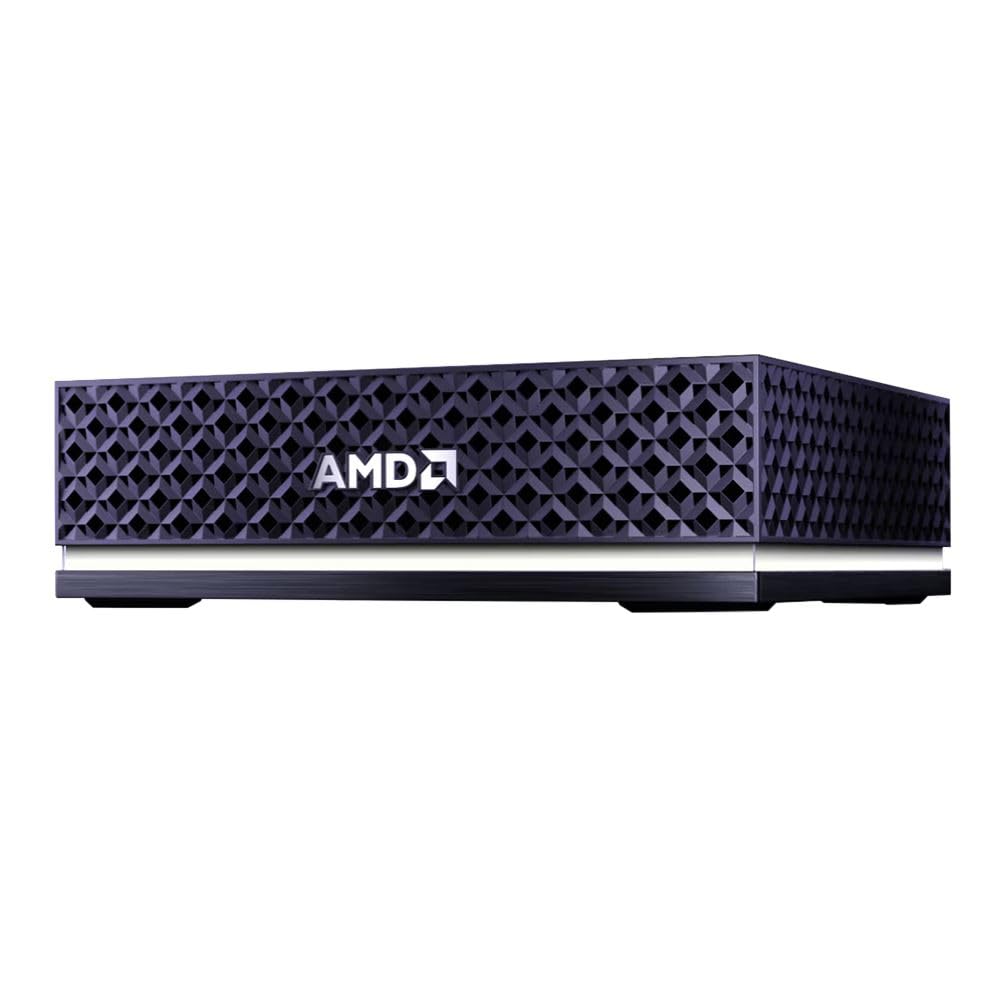
The Ryzen AI Halo puts 128GB of GPU-addressable memory in a mini PC chassis. Matching that capacity with discrete cards means stacking several 24GB or 32GB GPUs in a tower, which needs a large power supply, airflow management and tolerance for fan noise under sustained inference. Here the CPU, Radeon 8060S iGPU and NPU sit on one package and share one unified memory pool, so a 70B-class model loads on a single compact box that fits beside a monitor rather than under the desk.
That matters most if the machine lives in a home office or shares a room with people on calls. A single-package design also removes multi-GPU complications: no tensor splitting across PCIe and no per-card VRAM limits to plan around.

What the port selection means for a developer workstation
The connectivity list is short but covers what a local LLM box needs. The table below maps each listed connection to how a developer would use it.
| Connection | Practical role on an AI dev box |
|---|---|
| 10GbE LAN | Pull large model files from a NAS; serve an inference endpoint to other machines |
| Wi-Fi 7 | Fast wireless fallback when a wired drop isn't near the desk |
| Bluetooth 5.4 | Keyboard, mouse and headset without using USB ports |
| USB-C | Peripherals, external storage, docks |
| HDMI 2.1b | Primary monitor output |
| 2TB M.2 SSD | Local library of several large quantized models |
10GbE is the spec that pays off day to day. A Q4 70B file is about 40GB, and a Q8 version of the same model is close to double that. On ordinary gigabit Ethernet (about 125 MB/s at best), a 40GB file takes more than five minutes to copy. On 10GbE with a NAS fast enough to keep up, the same transfer drops to around a minute. If you swap between quantizations or keep your model archive on network storage, that gap repeats every time you change models.
The same link works in the other direction. If the Halo runs Ollama or a llama.cpp server for laptops, CI jobs or teammates on the LAN, 10GbE keeps the network from becoming the bottleneck when you send long prompts or retrieved RAG documents to it. Generation speed is still capped by the 256 GB/s memory bandwidth, so the network won't make tokens arrive faster. It only ensures the network isn't slower than the machine.
The 2TB SSD is sized for a working model library, not an archive. It can hold a Q4 70B (about 40GB), a Q8 version of the same model, a large mixture-of-experts model and a handful of 7B–32B models for quick tests, with room left for datasets, containers and the OS. If you collect checkpoints or fine-tune often, plan to offload older files to the NAS. The 10GbE link keeps that workflow practical.
The connections listed for the Ryzen AI Halo do not include OCuLink or any eGPU option. If you hope to add a discrete GPU later, say for CUDA-only code or faster tok/s on smaller models, nothing in the published specs supports that plan. Expansion runs through USB-C and the network, which covers storage, docks and offloading work to another machine, but not adding GPU compute to this box. Buy it on the assumption that the 128GB unified memory and the Radeon 8060S are the compute you will have for its whole life.
For a single-desk Linux setup, the port mix is sufficient: HDMI 2.1b for the display, Bluetooth and USB-C for peripherals, Wi-Fi 7 or 10GbE for the network. The trade-off is a fixed-capacity box. You get a compact 128GB platform in exchange for the upgrade path a tower would offer.
| Max Memory | 128 GB |
|---|---|
| Memory Bandwidth | 256 GB/s |
| GPU/NPU | 50 TOPS |
Local LLM performance: what 256 GB/s allows
The 128GB pool decides which models load. The 256 GB/s bandwidth decides how fast they generate. The arithmetic below covers both. It is not a benchmark. Real-world speeds land below these ceilings once kernel efficiency, KV-cache reads and software overhead are counted.
The bandwidth ceiling, in numbers
The 256 GB/s figure follows from the spec. LPDDR5x at 8000 MT/s on a 256-bit bus moves 8,000 million transfers × 32 bytes, which is 256 GB/s. During generation, a dense model has to stream every weight from memory for each token. That gives a simple ceiling:
max tok/s ≈ memory bandwidth ÷ bytes read per token
For a Q4 70B model, dividing 256 by its ~40GB of weights gives about 6.4 tok/s, a theoretical maximum that real software won't fully reach. That rate works for batch jobs, evaluation runs and agent loops where you aren't watching the cursor. Interactive chat at that speed feels slow.
| Model (weights read per token) | Approx. size | Ceiling at 256 GB/s |
|---|---|---|
| 70B dense, Q4 | ~40GB | ~6 tok/s |
| 32B dense, Q8 | ~34GB | ~7.5 tok/s |
| 32B dense, Q4 | ~18GB | ~14 tok/s |
| MoE, ~12B active, Q4 | ~7GB per token | ~35 tok/s |
Why mixture-of-experts is the sweet spot
Mixture-of-experts (MoE) models break the simple rule above. The full parameter set must sit in memory. Each token, though, only passes through the active parameters, a small subset chosen by a router. A model with a large total size but only around 12B active parameters reads about 7GB per token at Q4. That puts its ceiling in the 30s of tok/s instead of single digits.
This explains AMD's claim of support for models up to 200B parameters. At Q4, 200B parameters take about 100GB before overhead. That size is out of reach for any consumer GPU. It fits in 128GB of unified memory, though without much room left for context. A large MoE model is the Halo's strongest use case: it needs the full capacity and stays responsive.
Where the spare memory goes
If a model leaves headroom, there are two good ways to use it.
- Long context windows. The KV cache grows with every token of context. A typical 70B model with grouped-query attention needs about 0.33MB per token at FP16. A 128K-token context therefore adds around 40GB on top of the weights. On a 24GB card that is impossible. On the Halo, 40GB of Q4 weights plus 40GB of cache still fits. This matters for RAG over long documents and for agents with long tool histories.
- Q8 instead of Q4. On mid-size models (roughly 14B–34B), you can run Q8, which preserves output quality noticeably better than Q4 for code and reasoning. The cost is roughly half the tok/s, as the 32B rows in the table show.
Against an RTX 4090
An RTX 4090 has roughly 1 TB/s of bandwidth, about four times the Halo's, but only 24GB of VRAM. The comparison splits cleanly:
- Models that fit in 24GB: a 32B Q4 model at ~18GB has a ceiling near 55 tok/s on the 4090, against ~14 on the Halo. The discrete card also processes long prompts much faster, because prompt prefill is compute-bound and the 4090 has far more compute than a 40-CU iGPU.
- Models that don't fit: a 70B at Q4, any Q8 model above about 20B, large MoE models and long-context 70B setups cannot load on the card without offloading layers to system RAM. Offloading cuts speed to a fraction of even the Halo's ceiling.
Range across the products compared here
The decision follows from where your models fall. If they fit in 24GB, a discrete GPU is faster. If they need 40GB to 110GB, the Halo can run them and a 24GB card cannot.
ROCm software and the Linux developer platform
AMD's GPU compute story on Linux has rarely been held back by silicon. The slowdown has come from setup: matching kernel versions, ROCm releases and framework builds, then finding out a particular GPU wasn't on the supported list. The Ryzen AI Halo's main software claim targets that problem. It ships as a Linux AI developer platform with full AMD ROCm support and preloaded tools, models and workflows. Part of the $4,760 pays for a machine that should run inference on day one instead of costing a weekend of driver work.
That matters more on Strix Halo than on a discrete Radeon card. The Radeon 8060S is an iGPU drawing from the 128GB unified memory pool, and the way that pool is exposed to the GPU depends on the kernel, driver and runtime working together. A vendor-curated stack is meant to ship that combination already configured for large model loads, so the 128GB pool is usable without hand-tuning the kernel and driver.
What runs, and on which backend
For mainstream local LLM work, the picture is good. llama.cpp and Ollama both run on the iGPU, so the 40 RDNA 3.5 compute units handle inference rather than leaving it to the CPU cores. LM Studio uses a llama.cpp-based runtime, so it follows the same path.
| Tool / workload | How it uses the Halo | Practical status |
|---|---|---|
| llama.cpp | GPU backend (ROCm/HIP or Vulkan) on the Radeon 8060S | Runs on the iGPU; GGUF Q4/Q8 models load into unified memory |
| Ollama | Wraps llama.cpp with GPU offload | Runs on the iGPU; the simplest way to serve models to agents or RAG apps |
| LM Studio | llama.cpp-based runtime with a desktop UI | Works through the same engine; useful for quickly comparing quantizations |
| PyTorch (ROCm build) | HIP backend | Standard model code works if your PyTorch version has a ROCm build for this GPU |
| CUDA-only research repos | Custom CUDA kernels | Need porting or a ROCm/HIP build before they run |
The last row is where buyers get caught. Code that only calls standard PyTorch ops usually moves over cleanly, because ROCm's PyTorch exposes the familiar cuda device interface. Repos with hand-written CUDA kernels, CUDA-specific attention implementations or NVIDIA-only quantization libraries won't run as-is. You need either an upstream ROCm/HIP build of that dependency or a port with AMD's HIPIFY tooling. A port is often manageable, but it's engineering time, and the preloaded stack doesn't do it for you.
The NPU and the iGPU are separate stories
ROCm drives the Radeon 8060S. The XDNA 2 NPU (up to 50 TOPS) uses a different software path and isn't what llama.cpp or Ollama use for large-model generation. Don't count its TOPS figure toward your 70B-class throughput. On this machine, the iGPU and the 256 GB/s memory bandwidth set your tok/s.
Before you order, list every framework and library in your pipeline (PyTorch, vLLM or your inference server, any quantization or attention package) and check that the exact versions you depend on publish ROCm builds that support Strix Halo-class GPUs. If any step assumes NVIDIA (a bitsandbytes-style dependency, a CUDA extension compiled at install time, a Docker image built on CUDA base layers), budget time to replace or port it. If that step is non-negotiable, an NVIDIA machine is the safer buy.
Who benefits most
The preloaded stack does the most for developers who live in GGUF-based tooling such as Ollama, llama.cpp and LM Studio, and for teams building agents or RAG pipelines on top of a local inference endpoint. Those workflows are well supported on ROCm and Vulkan today, and they make full use of the 128GB pool.
It does the least for people whose work is reproducing CUDA-first research code or fine-tuning with NVIDIA-specific libraries. For them, the hardware capacity is real but the software tax remains. Confirm ROCm compatibility first; the memory is only useful once your code runs on it.
Who it suits and who should skip it
The Ryzen AI Halo makes sense when model size is your constraint and generation speed comes second. Its 128GB of unified memory and 256 GB/s of memory bandwidth reward a narrow set of workloads and penalise others. If your daily models already fit on a consumer GPU, the $4,760 buys capacity you won't use.
The developers it was built for
Agent and RAG prototyping on 70B-class models is the clearest fit. No 24GB or 32GB card can hold a Q4 70B on its own; here it loads with tens of gigabytes left for embeddings, a vector store and the context your retrieval pipeline stuffs into each prompt. Because everything stays local, you can point an agent at contracts, patient notes or proprietary code without that data reaching a cloud API. For many teams, that privacy is the whole reason to run a local LLM.
Large mixture-of-experts models fit this machine even better than dense 70B models. As the performance section shows, they use the full 128GB pool to load but read only the active experts per token, which makes AMD's 200B-parameter figure practical mainly for these sparse designs at aggressive quantization.
Small teams sharing one inference box get real use from the 10GbE port. Put the Halo on the office network, run Ollama or llama.cpp's server, and three or four developers can hit one endpoint instead of each needing a large-memory workstation. That works for sequential prototyping traffic. It does not work for concurrent production load: every simultaneous request competes for the same 256 GB/s.
Linux users who want one compact machine instead of a multi-GPU tower are the other natural buyers: a single memory pool in a mini PC chassis means no sharding a model across several cards and no large PSU to plan around.
| Workload | Fit | Why |
|---|---|---|
| 70B dense at Q4–Q8, long context | Strong | Fits entirely in unified memory; generation speed is modest |
| Large MoE models (100B+ total) | Strong | Only active parameters are read per token |
| 7B–32B models for fast chat or coding | Weak | Fits on a 24GB GPU, which has several times the bandwidth |
| LoRA or full fine-tuning | Weak | Compute-bound; RDNA 3.5 iGPU and ROCm trail CUDA cards |
| CUDA-only research repos | Poor | Needs porting or a ROCm/HIP build |
Who should spend the money elsewhere
If you mostly run 7B–32B models, buy a GPU. As the RTX 4090 comparison above shows, a Q4 32B model generates roughly four times faster on a 24GB card with ~1 TB/s of bandwidth. The Halo's extra capacity does nothing for models that already fit.
If your stack depends on CUDA, the curated ROCm setup only removes part of the friction. Ollama and llama.cpp run on the Radeon 8060S, but the CUDA-only repos and libraries covered in the ROCm section still need porting or won't run.
If you need fine-tuning throughput, this is an inference box. Training is limited by compute, not capacity, and 40 RDNA 3.5 compute units can't match a recent NVIDIA card for LoRA runs. The 50 TOPS NPU doesn't help either. You can run small experiments here, but iterating on training jobs will be slow.
If you want a Windows gaming PC that also does AI, this machine is aimed elsewhere. The software, preloaded workflows and support are built around Linux. Paying $4,760 for a capable iGPU to play games wastes most of what the price covers.
Good for
- Developers prototyping agents or RAG pipelines on 70B-class or large MoE models who must keep data on-premises
- Small teams serving one shared Ollama or llama.cpp endpoint to several developers over 10GbE
- Linux users who want 128GB of usable model memory in a mini PC instead of a multi-GPU tower
- Anyone who wants Q8 instead of Q4, or long context windows, on models that won't fit in 32GB
Not for
- People whose working models are 7B–32B, where a 24GB GPU generates several times faster
- Workflows tied to CUDA-only libraries or research code
- Teams whose main job is fine-tuning rather than inference
- Buyers who want a Windows gaming desktop with some AI on the side
How it compares to alternatives and value for money
| Product | Rating | Price | Buy |
|---|---|---|---|
 Apple Mac mini (M5 Pro) 307GB/s unified memory for running local LLMs from a five-inch desktop +307GB/s bandwidth: faster LLM token generation+GPU Neural Accelerators: quicker prompt processing -Fixed memory: choose LLM capacity upfront | $1,549.00 | Buy → | |
 Apple Mac Studio (M5 Max) Up to 128GB unified memory at 614GB/s for running large LLMs quietly on your desk +128GB unified memory fits large quantized LLMs+614GB/s bandwidth speeds token generation -128GB cap limits the largest models | $2,299.99 | Buy → | |
 AMD Ryzen AI Halo Editor's Choice 128GB unified memory to run up to 200B-parameter models locally on Linux +128GB shared pool: loads 200B models+Preloaded ROCm stack: less Linux setup -256 GB/s limits dense-model token speed | $4,760.00 | Buy → | |
| Apple Mac mini (M6) Best Value Up to 32GB unified memory and 170GB/s in a 5x5-inch box for quiet, always-on local LLMs +32GB unified memory fits ~30B quantized models+GPU Neural Accelerators speed prompt processing -170GB/s bandwidth limits tokens per second | $779.00 | Buy → | |
 GEEKOM A9 Max Ryzen AI 9 470 mini PC with room for 128 GB RAM to run larger local LLMs +128 GB RAM ceiling fits bigger models+2TB SSD stores many model files -Stock 32GB limits model size | $1,599.00 | Buy → | |
 MINISFORUM AI X1 Pro-370 128GB RAM ceiling and OCuLink for a GPU upgrade later +128GB RAM: fits 70B quantized models+OCuLink: add a desktop eGPU later -890M iGPU: slow tokens on large models | $1,247.00 | Buy → |
Prices as of Nov 12, 2026; they may have changed since.
Verdict
A capacity machine first: 128GB of unified memory runs 70B-class and large MoE models locally, which no single 24GB or 32GB consumer GPU can do. The 256 GB/s bandwidth caps generation speed, so the $4,760 price makes sense only when model size, not tok/s, is your bottleneck.
The Ryzen AI Halo answers one question well: can I load this model at all? With 128GB of LPDDR5x shared across the 16-core Zen 5 CPU, the Radeon 8060S iGPU and the XDNA 2 NPU, a Q4 70B model fits with room left for a long context window, a Q8 build, or an embedding model and vector store running alongside it. A 24GB or 32GB discrete card would have to offload layers to system RAM, which costs far more speed than the Halo gives up.
It cannot change the physics of memory bandwidth. A dense 70B at Q4 tops out around 6 tok/s at 256 GB/s: fine for agent loops, RAG prototyping and batch evaluation, slow for interactive chat. Mixture-of-experts models are where the platform looks best, with a theoretical ceiling in the 30s of tok/s for a model with ~12B active parameters.
Who should buy it
Recommended for Linux-based AI developers whose bottleneck is model size, not tok/s. If you build agents, RAG pipelines or evaluation harnesses against 70B-class or large MoE models and want them running locally, this is a compact way to do it. The preloaded ROCm stack, 10GbE for pulling large model files off a NAS, and a 2TB SSD with room for several large quantizations are part of what the price covers, along with skipping a weekend of driver and toolchain setup.
It is not the value pick if your models fit in 24–32GB of VRAM, where a single discrete GPU generates faster, and it is the wrong machine if your workflow depends on CUDA or centres on fine-tuning.
| If your situation is… | Better fit |
|---|---|
| Models above ~32GB at your chosen quantization, Linux workflow | Ryzen AI Halo |
| Mostly 7B–32B models, speed matters most | 24GB or 32GB discrete GPU |
| CUDA-dependent research or training code | NVIDIA-based workstation |
| Same 128GB capacity, lower price, DIY software setup | Other Ryzen AI Max+ 395 mini PCs |
| Higher bandwidth, macOS and MLX acceptable | Apple unified-memory desktop |
Bottom line
Size up your largest model at the quantization you actually use. If it's above 32GB and you work on Linux, the Halo is one of the few desk-sized ways to run it locally, and the $4,760 buys a curated ROCm setup, 10GbE and a 2TB SSD on top of the 128GB pool. If it's below that line, a discrete GPU gets you more tok/s per dollar, and the extra memory goes largely unused.