Mac mini vs. mini PC for local AI: Apple Silicon or AMD Ryzen AI?
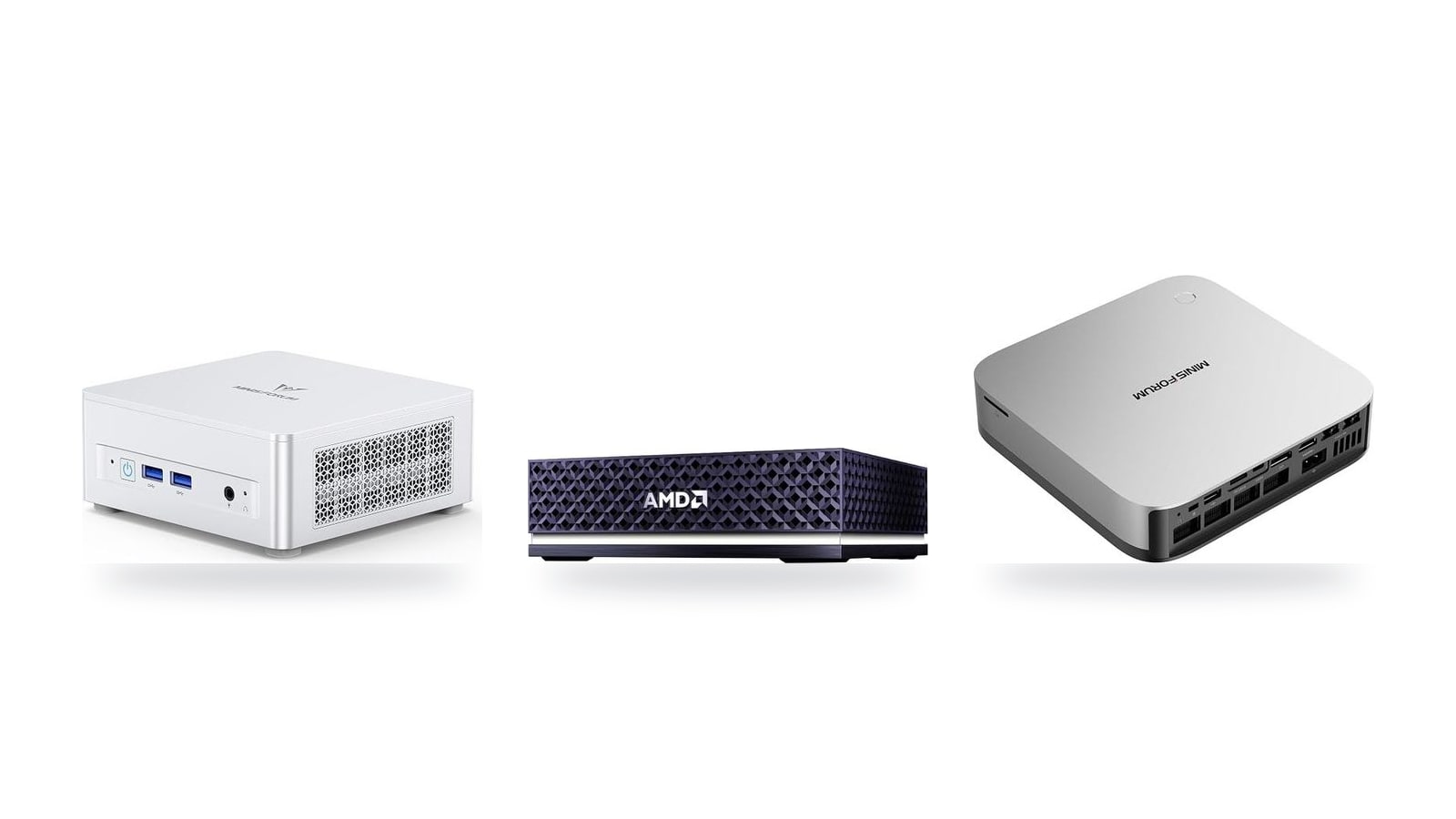
A Q4-quantized 70B model needs roughly 42 GB of fast memory before you add any context window. That rules out most mini PCs and every base-spec Mac. Below, the catalog's eight machines are matched to the model sizes and workloads each can actually handle.
Quick comparison: which box fits which local AI job
| Product | Rating | Price | Buy |
|---|---|---|---|
 Apple Mac mini (M5 Pro) 307GB/s unified memory for running local LLMs from a five-inch desktop +307GB/s bandwidth: faster LLM token generation+GPU Neural Accelerators: quicker prompt processing -Fixed memory: choose LLM capacity upfront | $1,549.00 | Buy → | |
 Apple Mac Studio (M5 Max) Up to 128GB unified memory at 614GB/s for running large LLMs quietly on your desk +128GB unified memory fits large quantized LLMs+614GB/s bandwidth speeds token generation -128GB cap limits the largest models | $2,299.99 | Buy → | |
 AMD Ryzen AI Halo Editor's Choice 128GB unified memory to run up to 200B-parameter models locally on Linux +128GB shared pool: loads 200B models+Preloaded ROCm stack: less Linux setup -256 GB/s limits dense-model token speed | $4,760.00 | Buy → | |
| Apple Mac mini (M6) Best Value Up to 32GB unified memory and 170GB/s in a 5x5-inch box for quiet, always-on local LLMs +32GB unified memory fits ~30B quantized models+GPU Neural Accelerators speed prompt processing -170GB/s bandwidth limits tokens per second | $779.00 | Buy → | |
 GEEKOM A9 Max Ryzen AI 9 470 mini PC with room for 128 GB RAM to run larger local LLMs +128 GB RAM ceiling fits bigger models+2TB SSD stores many model files -Stock 32GB limits model size | $1,599.00 | Buy → | |
 MINISFORUM AI X1 Pro-370 128GB RAM ceiling and OCuLink for a GPU upgrade later +128GB RAM: fits 70B quantized models+OCuLink: add a desktop eGPU later -890M iGPU: slow tokens on large models | $1,247.00 | Buy → |
Prices as of Nov 12, 2026; they may have changed since.
Unified memory vs. shared memory: why architecture caps model size
When a local LLM generates text, token generation is memory-bound. Each new token requires reading essentially the full set of model weights from RAM. A faster CPU or more TOPS helps very little if the memory bus can't deliver those weights quickly enough, so memory bandwidth (GB/s) sets the ceiling on tokens per second (tok/s).
A quick way to estimate that ceiling is to divide bandwidth by the size of the quantized model:
- An 8B model at Q4 is roughly 5 GB. At about 90 GB/s the theoretical limit is around 18 tok/s. At about 256 GB/s it is around 50 tok/s.
- A 70B model at Q4 is roughly 42 GB. At about 90 GB/s the limit is around 2 tok/s, which is too slow for conversation. At about 256 GB/s it rises to around 6 tok/s, which is slow but usable.
Real-world results come in below these numbers because of software overhead and context length. Prompt processing, which happens before the first token appears, depends more on compute. Still, the ranking between machines rarely changes: the box with more GB/s generates faster.
Three memory tiers in this comparison
Most AMD mini PCs in this roundup use dual-channel DDR5-5600 SO-DIMMs. That includes the MINISFORUM UM870 Slim and the UM890 Pro class, and it works out to about 90 GB/s. The upside is that you can swap in larger sticks later. The downside is that the 128-bit bus limits generation speed no matter how much RAM you install.
Strix Halo (Ryzen AI Max), found in the AMD Ryzen AI Halo, uses soldered 256-bit LPDDR5X at about 256 GB/s. That puts it in the same bandwidth tier as Apple's Pro chips, including the Mac mini (M5 Pro). Max chips go higher, so the Mac Studio (M5 Max) has more headroom when generating with 70B-class models.
| Factor | Apple Silicon (unified memory) | AMD iGPU (shared system memory) |
|---|---|---|
| Memory type | Soldered LPDDR on package, one pool for CPU and GPU | SO-DIMM DDR5 on most mini PCs; soldered LPDDR5X on Strix Halo |
| Bandwidth tier | Pro chips ~256 GB/s; Max chips higher | ~90 GB/s dual-channel DDR5-5600; ~256 GB/s on Strix Halo |
| GPU's share of RAM | About 75% by default, adjustable | Set in BIOS (UMA frame buffer) or driver; Linux GTT can go larger |
| Upgrade path | None; choose capacity at purchase | SO-DIMM models upgradeable; Strix Halo fixed |
| NPU role in Ollama / llama.cpp | Not used for LLM inference by these tools | 50 TOPS NPU on Ryzen AI 300 largely unused |
How much of that RAM the GPU can actually use
On a Mac, unified memory is one pool that the CPU and GPU address directly, with no copies between them. By default, macOS lets the GPU use roughly 75% of total RAM. You can raise that limit with a sysctl setting if you want to give more of a high-capacity machine to a single large model. For example, a 64 GB Mac exposes about 48 GB to Metal out of the box. That is enough for a 70B model at Q4 with a modest context window.
On AMD, the iGPU uses shared system memory, and how much it gets depends on configuration:
- BIOS: a fixed UMA frame buffer is reserved in firmware.
- Windows: AMD's driver can raise the dedicated allocation through Variable Graphics Memory.
- Linux: the amdgpu driver can map a much larger GTT pool on top of the reserved carve-out, and kernel parameters let you raise that limit further.
This difference has practical consequences. A 96 GB SO-DIMM box running Linux can load models that the same machine on Windows can't fully place on the iGPU. However, it will generate tokens at roughly 90 GB/s speeds regardless.
Ryzen AI 300 chips, such as the one in the MINISFORUM AI X1 Pro-370, advertise a 50 TOPS NPU. Today, Ollama and llama.cpp rarely use it. They run on the iGPU through Vulkan or ROCm, or fall back to the CPU. Think of the NPU as a Copilot+ feature for Windows Studio Effects and similar tasks, not as an LLM accelerator. CPU core count matters about as little for generation speed, because the cores spend most of their time waiting on memory.
For buyers, this narrows the decision to two questions:
- How many GB can the GPU address? This determines which models you can load at all.
- What bandwidth backs that memory? This determines whether those models respond at a conversational pace.
A SO-DIMM mini PC gives you capacity cheaply but at about 90 GB/s. An Apple Pro/Max chip or Strix Halo gives you both capacity and bandwidth, at a higher entry price.
Software support today: MLX and Metal vs. ROCm and Vulkan
Hardware sets the ceiling, but the software stack decides how much setup it takes to reach it. On this point the two platforms are far apart. Apple's stack is ready on first boot. AMD's stack works well once you pick the right backend, and that choice depends on whether you run Windows or Linux.
- Metal in llama.cpp — Built in and enabled by default on Apple Silicon. Ollama and LM Studio both use it, so a Mac mini (M6) needs no driver install before its first model.
- MLX and MLX-LM — Apple's array framework is designed around unified memory. MLX-LM handles inference, quantization and LoRA fine-tuning on the device itself.
- Vulkan in llama.cpp — The most dependable route on Radeon iGPUs. It needs no ROCm install and works on the standard graphics driver for both Windows and Linux.
- ROCm / HIP — Can be faster in some workloads and is needed for PyTorch-based tools. Support for the 780M, 890M and Strix Halo still varies with distro, kernel and override flags.
Mac: everything works without setup
On a Mac mini (M5 Pro) or Mac Studio (M5 Max), the usual tools all run without configuration: llama.cpp's Metal backend, Ollama, LM Studio and MLX. LM Studio can run both GGUF models through llama.cpp and MLX-format models, and you can switch between them per model. That lets you compare MLX against llama.cpp on your own machine without changing any settings.
The bigger advantage is fine-tuning. MLX-LM can train LoRA adapters on a 7B–14B model using unified memory. That makes it practical to adapt a coding model to your own codebase on a near-silent desktop rather than renting a cloud GPU. Expect training runs measured in hours, not minutes, but they finish without any driver work.
AMD: start with Vulkan, add ROCm if you need it
On the MINISFORUM UM870 Slim and UM890 Pro (Radeon 780M) and the MINISFORUM AI X1 Pro-370 and GEEKOM A9 Max (Radeon 890M), the llama.cpp Vulkan backend is the safe default. It uses the standard Radeon graphics driver, does not depend on AMD's official GPU support list, and gives consistent tok/s from one release to the next.
ROCm is where the quirks are. AMD's official ROCm support has long focused on discrete Radeon and Instinct cards, so iGPUs often need HSA_OVERRIDE_GFX_VERSION to make the runtime treat the chip as a supported target. Whether that works depends on your distro's ROCm packages and kernel version. Strix Halo, as used in the AMD Ryzen AI Halo, has received more direct attention from AMD, but recent kernels and current ROCm releases still matter.
Windows has the easiest start. LM Studio's Vulkan runtime detects the Radeon iGPU and runs GGUF models with almost no setup. The iGPU's usable memory is limited by the BIOS/driver allocation. Linux gives you the most memory headroom, because the iGPU can map a larger share of system RAM. In exchange, you handle kernel versions, ROCm packages and environment flags yourself.
Image generation and fine-tuning: workable on both, slower than CUDA on both
ComfyUI runs on Mac and on AMD, but Stable Diffusion and Flux generation will be noticeably slower than on a CUDA GPU on either platform. On Mac, ComfyUI uses PyTorch's MPS backend. Most core nodes work, but some custom nodes and operations fall back to CPU, and that can slow down a whole workflow. On AMD, you need either a working ROCm PyTorch build (on Linux) or a DirectML or similar workaround (on Windows), and both trail CUDA in node compatibility.
| Task | Mac (Metal / MLX) | AMD Radeon iGPU (Vulkan / ROCm) |
|---|---|---|
| LLM inference | Works out of the box in Ollama, LM Studio, llama.cpp and MLX | Vulkan is reliable; ROCm often needs override flags |
| Image generation (ComfyUI) | Runs; some nodes fall back to CPU | Needs ROCm (Linux) or a DirectML workaround (Windows) |
| LoRA fine-tuning | Supported on-device through MLX-LM | Possible through ROCm PyTorch; setup varies by distro and kernel |
| Easiest OS path | macOS, no extra drivers | Windows + LM Studio Vulkan; Linux for maximum memory |
Bottom line: if you want local LLM inference and occasional LoRA fine-tuning without maintaining drivers, the Mac mini (M6) and its larger siblings are the lower-effort choice. If you are comfortable picking backends and running Linux, the AMD boxes offer more flexibility. Just plan on Vulkan for daily inference and treat ROCm as an optional upgrade for workloads that need it.
Memory ceiling and cost per GB of usable model memory
Before comparing prices, work out which model you want to run. At Q4 quantization, plan on about 0.6 GB per billion parameters, plus headroom for the context window. The KV cache grows with context length, so a 32K-token session needs noticeably more memory than a 4K chat on the same model.
| Target model (Q4) | Weights alone (approx.) | Memory the GPU needs | Practical fit |
|---|---|---|---|
| 7B–8B | ~4–5 GB | 8 GB | Any 16 GB machine, with room left for the OS |
| 14B | ~8–9 GB | 12 GB | 24–32 GB systems |
| 32B | ~19 GB | about 20 GB | 32 GB is tight, 48 GB+ is comfortable |
| 70B | ~42 GB | ~46–48 GB | 64 GB+ pools only |
| Any size at Q8 | roughly 2× the Q4 figure | double the row above | Only worth it when memory is plentiful |
The key figure is memory the GPU can actually use, not the number on the spec sheet. That is why the 64 GB Mac from the architecture section fits 70B at Q4 while its spec sheet suggests even more room. A 32 GB SO-DIMM mini PC that reserves part of its RAM for the iGPU cannot hold a 32B model with a long context.
Pricing by usable GB, not by box
Divide the configured price by the GPU-usable memory. For example, a $1,500 configuration that exposes 48 GB to the GPU costs about $31 per usable GB. A $1,000 box that exposes 24 GB costs about $42 per GB, even though its sticker price is lower. Run this calculation on the exact configuration you would buy, because base models and upgraded models land in very different places.
Apple charges build-to-order prices for unified memory, and you can't add more later. The $779 Apple Mac mini (M6) looks like the cheapest entry on this list. Once you move up to a memory tier suited to 30B-class models, though, its per-GB cost climbs quickly, and that cost is higher again for the Apple Mac mini (M5 Pro) and Apple Mac Studio (M5 Max). In return, the GPU gets roughly three times the bandwidth of a dual-channel SO-DIMM system, which translates directly into more tok/s on the same model.
SO-DIMM mini PCs flip that trade-off. The MINISFORUM UM890 Pro ($1,015) and UM870 Slim ($889) accept third-party DDR5. You can buy them lightly configured and add a larger kit later at retail prices rather than Apple's upgrade prices. The catch is that dual-channel DDR5-5600 runs at about 90 GB/s, roughly a third of Apple-tier bandwidth. A 32B model will load, but it will generate slowly. These boxes offer the cheapest gigabytes on this list, but they are not the cheapest fast gigabytes. The MINISFORUM AI X1 Pro-370 ($1,247) and GEEKOM A9 Max ($1,599) sit in the same bandwidth class, so judge them on included RAM and expansion options rather than inference speed.
Strix Halo is the outlier. The AMD Ryzen AI Halo, listed at $4,760, is the most expensive box here by a wide margin. It is also the only x86 option in this comparison whose unified pool is large and fast enough for 70B-class models without adding a discrete GPU or eGPU. If 70B on Linux or Windows is the goal, compare it per usable GB against an Apple Mac Studio (M5 Max) configured to the same capacity, not against a $1,000 mini PC that cannot run that model.
Pro tip
Listed prices on these machines change often, sometimes weekly, through retailer promotions and memory-price swings. Before you buy, pick your target model, use the memory-sizing guide to find the GPU-usable gigabytes it needs, and then compare current configurations on price ÷ usable GB. Don't buy a 70B-capable pool for a 14B coding assistant, and don't let a low sticker price push you into a box that can't hold the model you actually want.
Expandability: OCuLink, USB4 and NVMe vs. Apple's sealed design
Memory is the hard ceiling covered above. Expandability decides whether you can raise that ceiling or add new capabilities in year two without buying a new machine. On this point, the two platforms differ completely.
eGPU: adding CUDA later on a mini PC
The MINISFORUM UM890 Pro and MINISFORUM AI X1 Pro-370 include an OCuLink port. OCuLink is a direct PCIe link, not a tunneled protocol, so a desktop NVIDIA card in an external dock runs at near-PCIe 4.0 x4 speeds. That is roughly 8 GB/s of host bandwidth, close to what the card would get in a cramped desktop slot.
For local LLM work, those x4 lanes matter less than you might expect:
- Load time is affected. The lane width mainly slows how fast weights load into VRAM.
- Generation speed is not. Once a model sits entirely on the card, tokens per second depend on the GPU's own memory bandwidth.
A 7B–14B model at Q4 fits comfortably in a 16 GB card's VRAM. With the card attached, you gain the full CUDA ecosystem. That includes faster Stable Diffusion/Flux in ComfyUI, vLLM and fine-tuning tools, all on a box you already own.
There are trade-offs:
- Hardware cost. You need a separate dock and power supply.
- No hot-plugging. OCuLink must be connected before boot.
- Spillover is slow. Layers that overflow VRAM fall back to the mini PC's shared DDR5, and generation speed drops to that slower pool.
USB4 ports on these mini PCs can also host an eGPU enclosure. Tunneling overhead makes USB4 the slower option, though, so treat it as second choice when OCuLink is available.
On a Mac, this path does not exist. macOS on Apple Silicon does not support external GPUs, Thunderbolt or otherwise. Whatever GPU ships in the Apple Mac mini (M6) or Apple Mac Studio (M5 Max) is the one you keep.
Storage: cheap model libraries vs. fixed-at-purchase SSDs
Model files add up quickly. Using the 0.6 GB-per-billion-parameter rule from earlier:
- A Q4 70B model is about 42 GB.
- A 32B model is about 19 GB.
- Keeping Q4 and Q8 variants of several models, plus Flux checkpoints, can pass 500 GB.
Several MINISFORUM and GEEKOM models, including the UM890 Pro class and the GEEKOM A9 Max, offer dual M.2 NVMe slots. You can add a large consumer NVMe drive at retail prices and store dozens of quantized models locally. Confirm slot count and length (2280 vs. 2230) on the exact SKU before buying a drive.
On a Mac, internal storage is fixed at purchase, and Apple's build-to-order SSD tiers cost far more per terabyte than off-the-shelf drives. The practical workaround is an external Thunderbolt NVMe enclosure for your model library. It works well because llama.cpp, Ollama and LM Studio only read weights at load time. You just accept an extra box on the desk and slightly slower cold loads.
Scale-out on Mac: Thunderbolt clustering with exo
Apple seals both RAM and SSD to the package or logic board, so a Mac mini ordered with 24 GB stays at 24 GB.
The scale-out option is exo, open-source software that splits one model's layers across several Macs connected over Thunderbolt. For example, two Mac minis could jointly hold a model neither could load alone.
The cost is interconnect latency. Every token must pass activations between machines, so a clustered setup generates more slowly than a single machine with the same total unified memory. exo makes sense for reusing Macs you already own. As a buying plan, one larger Apple Mac Studio (M5 Max) is usually the cleaner way to reach 70B-class models.
| Upgrade path | OCuLink/USB4 mini PC | Mac mini / Mac Studio |
|---|---|---|
| Add a discrete GPU | Yes, via OCuLink (near PCIe 4.0 x4) or USB4 | Not supported on Apple Silicon |
| Add internal storage | Second M.2 NVMe slot on several models | No, fixed at purchase |
| Add RAM | SO-DIMM models only; Strix Halo is soldered | No, choose at purchase |
| Scale beyond one box | eGPU or a second node | exo clustering over Thunderbolt |
Strix Halo is sealed too
The AMD Ryzen AI Halo gets its Mac-class memory pool from soldered LPDDR5X. Like a Mac, it can't take more RAM later, so size it for your largest planned model on day one. Its storage and I/O options vary by board, so check them per listing.
Pros
- OCuLink on the MINISFORUM UM890 Pro and AI X1 Pro-370 adds an NVIDIA GPU and CUDA without replacing the mini PC.
- Dual M.2 NVMe slots on several MINISFORUM and GEEKOM models make large local model libraries cheap.
- exo lets Mac owners pool existing machines to run models larger than any single unit holds.
- Thunderbolt NVMe enclosures give Macs a reasonable external home for model files.
Cons
- Apple Silicon Macs cannot use an eGPU, so their GPU is fixed for life.
- Mac RAM and internal SSD cannot be upgraded after purchase.
- exo clustering adds interconnect latency and generates more slowly than one larger machine.
- An OCuLink eGPU needs its own dock and power supply, and models that spill out of VRAM slow down sharply.
Noise, power draw and resale over a multi-year life
A local LLM box that serves an always-on coding assistant, a home automation agent or a family chat endpoint spends most of its life idle, waiting for a prompt. Idle draw, fan behavior and resale value end up mattering more than peak tok/s. Here the two platforms split clearly.
Apple's published power figures put Mac minis in the single-digit watt range at idle. For the Apple Mac mini (M6) and Apple Mac mini (M5 Pro), that means the machine costs little to leave running around the clock. Under inference load, the Mac's power ceiling is low enough that the fan rarely becomes noticeable on a desk. The Apple Mac Studio (M5 Max) draws more under a sustained 70B-class workload, but its larger chassis and cooler give it thermal headroom, so it stays quieter than a small box pushed to the same job.
High-TDP Ryzen mini PCs behave differently. The MINISFORUM UM890 Pro, MINISFORUM AI X1 Pro-370 and GEEKOM A9 Max fit performance-class APUs into compact chassis. During sustained inference, which keeps the iGPU and memory controller busy for minutes at a time, their fans run audibly. Most of these machines let you lower the power limit in BIOS or the vendor utility. That trades some tok/s for less noise, and since generation is memory-bound, a moderate cap often costs less speed than you would expect. The AMD Ryzen AI Halo, at a much higher power class, belongs in a closet, rack or office rather than next to your monitor in a quiet room.
The running-cost math
The rule is simple: every 10 W of continuous draw is about 88 kWh a year (10 W × 8,760 hours = 87.6 kWh). Multiply that by your local tariff before deciding whether an always-on box is cheap or expensive to keep powered.
| Average continuous draw | Energy per year | Cost at $0.15/kWh | Cost at $0.30/kWh |
|---|---|---|---|
| 10 W | ~88 kWh | ~$13 | ~$26 |
| 30 W | ~263 kWh | ~$39 | ~$79 |
| 60 W | ~526 kWh | ~$79 | ~$158 |
| 100 W | ~876 kWh | ~$131 | ~$263 |
The figure that drives this is average draw, not peak. A machine that idles most of the day and bursts during a few hours of prompting averages much closer to its idle number. So a mini PC that idles in the low teens of watts and a Mac that idles under 10 W may differ by only $10–30 a year at typical tariffs. The gap widens if the box also runs Docker containers, Proxmox VMs or scheduled batch jobs that keep the CPU busy. It widens further in regions where electricity costs $0.30/kWh or more. Over five years, $10–30 a year adds up to $50–150, roughly the $110 price gap between the Apple Mac mini (M6) and the MINISFORUM UM870 Slim.
Resale and what carries forward
Used M1- and M2-generation Mac minis with 16–32 GB of unified memory have held their resale value well. They are still capable 7B–14B hosts for Ollama, LM Studio or MLX (see the FAQ for which memory size fits which model). For a buyer on a tight budget, a used 32 GB M1/M2 machine is a legitimate alternative to a new Apple Mac mini (M6), as long as the lower memory bandwidth of older chips is acceptable. For a seller, the strong used market means a Mac bought today will likely recover a meaningful share of its cost when you upgrade. That matters because you can't add RAM later, so resale is Apple's upgrade path.
Older Ryzen mini PCs depreciate faster on the used market, and that will likely apply to today's UM870 Slim and UM890 Pro class as well. The offset is that their parts move with you. The DDR5 SO-DIMMs and NVMe drives carry over to the next build, which reduces the effective cost of upgrading. You can sell or repurpose the bare mini PC as a router, NAS front end or Proxmox node, then reuse a 64 GB or 96 GB memory kit and your model library in the next chassis. Over a multi-year life, a Mac recovers more value at resale, while an AMD mini PC lets you reuse its RAM and storage.
Decision guide by scenario, and when an NVIDIA desktop wins
The earlier sections reduce to one rule. Usable memory decides which model fits, memory bandwidth decides how fast it runs, and the operating system decides how much you will tinker. Match your main workload to one row below. The table gives the job and the reasoning; the comparison table at the top of the page carries current prices.
| Scenario | Model class | Primary pick | Alternative | Deciding factor |
|---|---|---|---|---|
| Quiet coding assistant | 7B–14B at Q4 | Apple Mac mini (M6) | MINISFORUM UM870 Slim | Silence and low idle draw vs. Linux/Windows freedom |
| Mid-size reasoning and chat | 30B-class | Apple Mac mini (M5 Pro) | — | Larger unified memory pool without Studio pricing |
| 70B-class chat | 70B at Q4 (~42 GB plus context) | Apple Mac Studio (M5 Max) | AMD Ryzen AI Halo | Large unified or iGPU memory pool and bandwidth |
| Homelab with inference on the side | 7B–14B, Docker, VMs | MINISFORUM UM890 Pro | MINISFORUM AI X1 Pro-370, GEEKOM A9 Max | x86 virtualization, upgradeable SO-DIMM RAM, OCuLink |
| Image/video generation, fine-tuning | Flux, video models, LoRA training | NVIDIA desktop, 24 GB+ VRAM | — | CUDA tool support and raw compute |
Coding assistant, 30B and 70B: where each machine fits
For a 7B–14B coding model in an editor, the Apple Mac mini (M6) at $779 is the default pick. A Q4 14B model needs roughly 8–9 GB plus context, so configure 24 GB or more: a 16 GB unit gives the GPU about 12 GB, comfortable for 8B but tight for 14B. Ollama and LM Studio run on Metal with no driver work, and the machine is close to silent under a typical autocomplete load. If your toolchain is Linux or Windows, choose the MINISFORUM UM870 Slim ($889) instead. You pay $110 more and accept more fan noise. In return, you get SO-DIMM RAM you can upgrade later and a llama.cpp Vulkan setup that matches your dev environment.
For 30B-class models, step up to the Apple Mac mini (M5 Pro) at $1,549. Configure enough unified memory that roughly 75% of it, the GPU's default share on macOS, covers about 20 GB of weights plus a usable context window. For 70B-class chat, the realistic choices are the Apple Mac Studio (M5 Max) and the AMD Ryzen AI Halo. These are the only catalog machines whose memory pools hold about 42 GB of Q4 weights with headroom left over. The Studio is less than half the Halo's $4,760 listing price and works out of the box. The Halo makes sense if you require x86 and Linux and want AMD's Strix Halo iGPU memory pool instead of macOS.
The homelab box
If inference is one service among many, alongside Proxmox VMs, Docker stacks or a NAS container, buy x86 with upgradeable RAM. Pick based on which constraint matters most:
- MINISFORUM UM890 Pro ($1,015) is the value choice. It has dual-channel DDR5 SO-DIMM and OCuLink for a future eGPU.
- MINISFORUM AI X1 Pro-370 ($1,247) steps up from the Radeon 780M to a Ryzen AI 300 chip with Radeon 890M and also keeps OCuLink.
- GEEKOM A9 Max ($1,599) is the pick if you want dual M.2 NVMe slots for a large model library and accept paying $584 more than the UM890 Pro.
All three let you put 64 GB or more of RAM in later and split it between VMs and a llama.cpp container. A Mac mini cannot do this.
When neither camp is the right buy
Choose a desktop with an NVIDIA GPU with 24 GB+ VRAM if your main work is Stable Diffusion/Flux batches, video generation models or serious fine-tuning. These workloads are limited by compute rather than memory size. Most ComfyUI nodes, training scripts and LoRA tooling also target CUDA first. Neither Metal nor ROCm on an iGPU matches that combination of throughput and compatibility. An eGPU over OCuLink partly closes the gap for the UM890 Pro and AI X1 Pro-370. A full tower is still simpler for heavy training runs, and it is usually cheaper than the AMD Ryzen AI Halo.
Good for
- Developers who want a near-silent 7B–14B coding assistant: Apple Mac mini (M6)
- Running 70B models locally for private chat: Apple Mac Studio (M5 Max) or AMD Ryzen AI Halo
- Homelabbers combining Proxmox, Docker and inference: MINISFORUM UM890 Pro or MINISFORUM AI X1 Pro-370
Not for
- Generating many Flux images or video clips daily: buy an NVIDIA desktop with 24 GB+ VRAM
- Fine-tuning or LoRA training as a regular workload: CUDA tooling is more mature and the GPU is faster
- Anyone expecting the NPU to speed up Ollama today: it does not, and the iGPU does the work
Common questions about Macs and mini PCs for local AI
These are the questions that come up most often when choosing between Apple Silicon and AMD mini PCs. The table below maps each model class to the catalog machines that can hold it.
| Model class (Q4) | Approx. weights | Practical RAM floor | Example catalog fit |
|---|---|---|---|
| 7B–8B | ~4.5–5 GB | 16 GB | Apple Mac mini (M6), MINISFORUM UM870 Slim |
| 14B | ~8.5 GB | 24–32 GB | MINISFORUM UM890 Pro, MINISFORUM AI X1 Pro-370 |
| 30B–32B | ~18–20 GB | 32–48 GB | Apple Mac mini (M5 Pro); GEEKOM A9 Max loads it but generates slowly at ~90 GB/s |
| 70B | ~42 GB | 64 GB+ with high bandwidth | Apple Mac Studio (M5 Max), AMD Ryzen AI Halo |
Weights use the ~0.6 GB per billion parameters rule of thumb. Add a few GB for the context window, the OS and your other apps.
Frequently asked questions
Does the NPU speed up Ollama?
Not today. Ollama is built on llama.cpp, which does not use the NPU on Ryzen AI chips or Apple's Neural Engine. On AMD, llama.cpp runs on the iGPU through Vulkan (the most dependable path) or ROCm where your chip is supported. On a Mac, it runs on the GPU through Metal, and MLX also targets the GPU. AMD's NPU-specific toolchains work only with selected models in their own formats. The 50-plus TOPS figure on a MINISFORUM AI X1 Pro-370 spec sheet therefore says almost nothing about Ollama speed. Its Radeon iGPU and memory bandwidth decide that.
Is 16 GB enough?
Yes, for 7B–8B models at Q4. An 8B model at Q4 needs roughly 5 GB, which leaves room for a usable context window and a browser. On a 16 GB Mac, macOS gives the GPU about 75% of unified memory by default, around 12 GB. That is comfortable for 8B and tight for 14B. For 30B-class models you need 32 GB or more, and 48–64 GB if you want long contexts or two models loaded at once. The difference in upgrade paths matters here. On the MINISFORUM UM870 Slim you can add SO-DIMMs later. On the Apple Mac mini (M6) the RAM you order is the RAM you keep.
Can a mini PC run a 70B model?
Only Strix Halo-class machines run it at a usable speed. A 70B model at Q4 is about 42 GB, and generating each token reads nearly all of it. The AMD Ryzen AI Halo pairs a large unified memory pool with a 256-bit LPDDR5X bus of roughly 256 GB/s, which puts conversational speeds within reach. A dual-channel DDR5-5600 box like the MINISFORUM UM890 Pro or GEEKOM A9 Max can load 70B with 64–96 GB of SO-DIMMs. At about 90 GB/s, though, the theoretical ceiling is around 2 tok/s, and real-world speed is lower. That works for batch summarization. It is painful for chat. On the Apple side, the Apple Mac Studio (M5 Max) is the 70B option.
Is a used M1/M2 Mac mini a smart buy?
Yes, for small models, as long as the RAM matches your target model. A 16 GB M1 or M2 Mac mini runs 7B–8B coding and chat models quietly through Ollama, LM Studio or MLX with no driver work. Check the memory configuration before you buy, because it cannot be upgraded:
- An 8 GB unit is limited to 3B–4B models.
- The base M1 has about 68 GB/s of bandwidth and the M2 about 100 GB/s. Both are slower per token than a new Apple Mac mini (M6).
- A 32 GB M2 Pro unit is the used sweet spot for 14B models with long context.
Mac or Linux for privacy?
Both run fully offline once the models are downloaded. Ollama, LM Studio, llama.cpp and MLX run inference locally. Your prompts never leave the machine, and you can unplug the network after pulling the weights. The real difference is OS-level telemetry and control. A Linux homelab on a MINISFORUM UM890 Pro lets you firewall everything and audit what runs. macOS needs a pass through its analytics and cloud-sync settings but is just as capable of air-gapped inference. Choose based on how you want to manage the box, because both keep your data equally local.
Disclosure: We may earn a commission when you buy through links on this page, at no extra cost to you.