Local LLM leaderboard: which of eight reviewed machines fits 8B, 32B and 70B models, and what tokens/sec per dollar costs
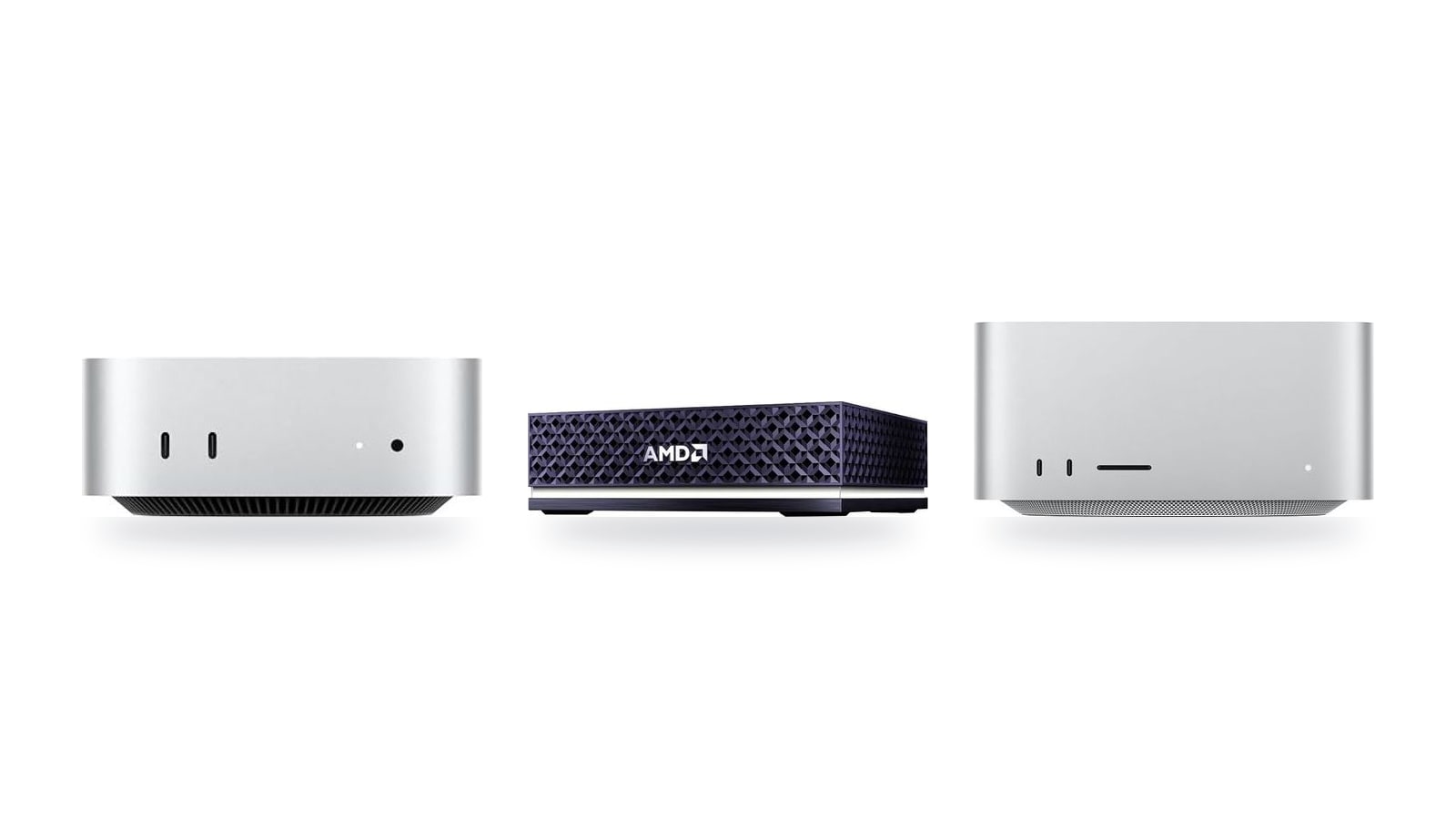
A 70B model quantized to 4-bit needs roughly 40 GB of fast memory before it produces a single token, and that one constraint sorts this leaderboard more than any chip name does. This guide sorts the eight reviewed machines, from the $779 Apple Mac mini (M6) to the $4,760 AMD Ryzen AI Halo, by the model tier they can hold (8B, 32B or 70B), then weighs speed against price. Memory bandwidth caps tokens/sec, so I quote each machine's paper ceiling (bandwidth ÷ model size). Published results land below that ceiling, and each linked review cites the source behind its figures.
Quick picks by model size and budget
Memory capacity decides which model loads, and memory bandwidth decides how fast it replies. The eight machines span 89.6 GB/s to 614 GB/s, a nearly sevenfold spread, and that spread shows up directly in tokens/sec. The picks below leave out the cheapest boxes that can hold a 4-bit 70B at all: the MINISFORUM UM890 Pro ($1,015, 96 GB) and UM870 Slim ($889, up to 96 GB). At 89.6 GB/s, their 70B ceiling is about 2 tok/s. The model loads, but you'll be waiting on every reply.
Disclosure: I may earn a commission if you buy through links on this page. It doesn't change the picks.
At $779, this is the cheapest machine on the board. An 8B model at 4-bit fits in about 5 GB. That leaves most of the 32 GB free for long contexts, or for a ~30B quantized model later. Its 170 GB/s bandwidth puts the 8B ceiling around 34 tok/s, or roughly 4.4 tok/s per $100. The $889 UM870 Slim manages about 2 per $100 (89.6 GB/s, ~18 tok/s). Strictly on paper, the Mac Studio's ~123 tok/s ceiling works out higher per dollar. But that means paying nearly three times as much for speed an 8B chat model doesn't need. If chat, summaries and autocomplete are the job, this is where I'd stop spending.
32B-class models need roughly 20 GB at 4-bit, which is where coding help gets useful. At $1,549, it's $770 more than the M6 mini and still about $750 below the Mac Studio. Its 307 GB/s bandwidth puts the 32B ceiling near 15 tok/s, against about 8 on the M6. With up to 64 GB, it also holds a 4-bit 70B, at roughly 8 tok/s on paper. That makes it the cheapest Mac on this list that can. The catch is that memory is fixed, so order the 64 GB upfront if 70B is on your list.
At $2,299.99, it isn't the cheapest Mac that can hold a 70B model. The 64 GB Mac mini (M5 Pro) does that for $1,549. The extra $751 buys speed. Based on the spec sheet, its 614 GB/s is double the mini's bandwidth, so the 70B ceiling roughly doubles too, to about 15 tok/s. Pay this only if 70B is a weekly workload, not a weekend experiment.
At $4,760, it costs 6.1× the M6 Mac mini, and it is not the 70B speed pick. Its 256 GB/s bandwidth is less than half the Mac Studio's 614 GB/s. That puts its 70B ceiling near 6 tok/s, against about 15 on the Studio, at roughly twice the price. Its real case is a 128 GB shared pool that loads 200B models, plus a preloaded ROCm stack that cuts down Linux setup. Buy it if you want that much capacity outside macOS and can live with slow dense-model replies. For an 8B or 32B workload, you'd be buying headroom you'll never touch.
Running 8B? Buy the cheapest box. Running 32B? Plan for 32 GB of memory. Running 70B? Holding it starts at $1,015. Running it at ~8 tok/s or better starts at $1,549. Every step up the price ladder buys capacity first and speed second, so the fastest machine on the leaderboard is rarely the right buy for an 8B workload.
The full leaderboard
| Product | Rating | Price | Buy |
|---|---|---|---|
 Apple Mac mini (M5 Pro) 307GB/s unified memory for running local LLMs from a five-inch desktop +307GB/s bandwidth: faster LLM token generation+GPU Neural Accelerators: quicker prompt processing -Fixed memory: choose LLM capacity upfront | $1,549.00 | Buy → | |
 Apple Mac Studio (M5 Max) Up to 128GB unified memory at 614GB/s for running large LLMs quietly on your desk +128GB unified memory fits large quantized LLMs+614GB/s bandwidth speeds token generation -128GB cap limits the largest models | $2,299.99 | Buy → | |
 AMD Ryzen AI Halo Editor's Choice 128GB unified memory to run up to 200B-parameter models locally on Linux +128GB shared pool: loads 200B models+Preloaded ROCm stack: less Linux setup -256 GB/s limits dense-model token speed | $4,760.00 | Buy → | |
| Apple Mac mini (M6) Best Value Up to 32GB unified memory and 170GB/s in a 5x5-inch box for quiet, always-on local LLMs +32GB unified memory fits ~30B quantized models+GPU Neural Accelerators speed prompt processing -170GB/s bandwidth limits tokens per second | $779.00 | Buy → | |
 GEEKOM A9 Max Ryzen AI 9 470 mini PC with room for 128 GB RAM to run larger local LLMs +128 GB RAM ceiling fits bigger models+2TB SSD stores many model files -Stock 32GB limits model size | $1,599.00 | Buy → | |
 MINISFORUM AI X1 Pro-370 128GB RAM ceiling and OCuLink for a GPU upgrade later +128GB RAM: fits 70B quantized models+OCuLink: add a desktop eGPU later -890M iGPU: slow tokens on large models | $1,247.00 | Buy → |
Prices as of Nov 12, 2026; they may have changed since.
Browse the top machines

307GB/s unified memory for running local LLMs from a five-inch desktop
- 307GB/s bandwidth: faster LLM token generation
- GPU Neural Accelerators: quicker prompt processing
- Five-inch box: compact always-on agent server
- Fixed memory: choose LLM capacity upfront
- macOS only: CUDA-based tools won't run

Up to 128GB unified memory at 614GB/s for running large LLMs quietly on your desk
- 128GB unified memory fits large quantized LLMs
- 614GB/s bandwidth speeds token generation
- Thunderbolt 5 ports enable multi-Mac clustering
- 128GB cap limits the largest models
- No CUDA: relies on Metal/MLX tooling

128GB unified memory to run up to 200B-parameter models locally on Linux
- 128GB shared pool: loads 200B models
- Preloaded ROCm stack: less Linux setup
- 10GbE LAN: faster model file transfers
- 256 GB/s limits dense-model token speed
- Integrated 8060S trails discrete GPU throughput
Up to 32GB unified memory and 170GB/s in a 5x5-inch box for quiet, always-on local LLMs
- 32GB unified memory fits ~30B quantized models
- GPU Neural Accelerators speed prompt processing
- 5x5-inch footprint for always-on agent hosting
- 170GB/s bandwidth limits tokens per second
- 32GB cap rules out 70B models

Ryzen AI 9 470 mini PC with room for 128 GB RAM to run larger local LLMs
- 128 GB RAM ceiling fits bigger models
- 2TB SSD stores many model files
- Dual 2.5GbE for serving models locally
- Stock 32GB limits model size
- Shared DDR5 slows tokens vs. dedicated GPUs

128GB RAM ceiling and OCuLink for a GPU upgrade later
- 128GB RAM: fits 70B quantized models
- OCuLink: add a desktop eGPU later
- 65W max draw keeps running costs low
- 890M iGPU: slow tokens on large models
- SO-DIMM DDR5 trails unified-memory bandwidth

Up to 96 GB of RAM plus OcuLink, so it can load large models now and take an external GPU later
- 96 GB RAM: fits 70B quantized models
- OcuLink: add a desktop GPU later
- Two PCIe 4.0 slots store models
- Shared DDR5 slows large-model tokens/sec
- OcuLink adapter uses up an M.2 slot

Ryzen 7 8745H with a 96GB RAM ceiling for mid-size local models
- 96GB RAM ceiling fits bigger models
- 32GB stock handles mid-size quantized models
- USB4 40 Gbps for eGPU expansion
- Dual-channel SO-DIMM caps token speed
- 780M shares RAM, no dedicated VRAM
Prices as of Nov 12, 2026; they may have changed since.
What each model size actually demands
The parameter count tells you how much memory a model needs, and memory decides whether a machine belongs in a leaderboard column at all. At 4-bit quantization, the usual format for running models at home, each billion parameters takes roughly half a gigabyte. Then you add room for the context window and for the operating system, which never stops wanting its share.
| Model size | Weights at 4-bit | Plan for (weights + context + OS) | What it's good for |
|---|---|---|---|
| 8B | ~5 GB | 16 GB total system memory is comfortable | Chat, summaries, email drafts, editor autocomplete |
| 32B | ~20 GB | 32 GB total, more if you want long context | Coding help and multi-step reasoning that holds up |
| 70B | ~40 GB | 64 GB total to leave real headroom | Replacing a paid cloud API for daily work |
The "plan for" column is my rule of thumb, not a hard spec. A longer context window grows the key-value cache, so a model that loads fine with a short prompt can run out of memory once you paste in a 40-page PDF.
8B is the everyday tier. It handles quick questions, summaries and autocomplete well enough that most people won't notice what's missing. This is where the Mac mini (M6) and the MINISFORUM UM870 Slim compete, and bandwidth settles it. The M6's 170 GB/s gives it roughly twice the UM870's 8B ceiling (~34 vs ~18 tokens/sec), for $110 less.
32B is the first tier where code suggestions and reasoning get noticeably better. Fewer invented function names, and fewer chains of logic that fall apart halfway through. If you write software, this is probably your column, and it's the territory of the Mac mini (M5 Pro).
70B is for people whose alternative is a monthly cloud API bill. It only makes sense if the output quality saves you money or time week in, week out. Seven of the eight machines can hold it. Only the 32 GB Mac mini (M6) can't. Holding it isn't the same as running it well, though. The MINISFORUM and GEEKOM boxes (96–128 GB at 89.6 GB/s) top out near 2 tok/s, the AMD Ryzen AI Halo near 6 and the 64 GB Mac mini (M5 Pro) near 8. Only the Mac Studio (M5 Max) reaches the mid-teens.
A model that doesn't fit in fast memory doesn't just run a bit slower. Once weights spill into system swap or get split onto a slower processor, generation speed collapses, and a usable reply can turn into one you go make coffee for. That's why I'd ignore any single "overall" score. Find the column for the model size you'll actually run, and only compare machines that have a number in it.
A box that tops the 8B column can be useless at 70B, and the reverse mistake is pricier: paying for 70B headroom you'll never use is the most common way to overspend on this list, by as much as $3,981 between the M6 mini and the Ryzen AI Halo.
Why bandwidth beats TOPS, and who should pay more
Token generation is memory-bound. To produce each new token, the machine reads essentially the entire model's weights from memory. A rough speed ceiling is therefore memory bandwidth ÷ model size. Compute rarely limits generation. The chip is mostly waiting on memory.
That's why the NPU "TOPS" figure on the MINISFORUM AI X1 Pro-370 and similar AI-branded chips barely moves the generation column. More TOPS doesn't make memory deliver weights any faster. If a spec sheet leads with TOPS and buries bandwidth, I treat that as a sign the machine is being marketed on the wrong number for local LLMs.
Here's how the ceiling works out. The bandwidth values below are round illustrative figures, not specs for any machine on this page:
| Memory bandwidth | 8B (~5 GB) ceiling | 32B (~20 GB) ceiling | 70B (~40 GB) ceiling |
|---|---|---|---|
| 120 GB/s | ~24 tok/s | ~6 tok/s | ~3 tok/s |
| 270 GB/s | ~54 tok/s | ~13 tok/s | ~7 tok/s |
| 550 GB/s | ~110 tok/s | ~27 tok/s | ~14 tok/s |
Published results land below these ceilings, but they follow the same pattern. Doubling bandwidth roughly doubles reply speed. Doubling TOPS mostly doesn't.
Applied to the machines on this page, the 8B ceiling runs from about 18 tok/s on the four 89.6 GB/s MINISFORUM and GEEKOM boxes to 34 on the Mac mini (M6) at 170 GB/s, 51 on the Ryzen AI Halo at 256 GB/s, 61 on the Mac mini (M5 Pro) at 307 GB/s and 123 on the Mac Studio at 614 GB/s. Price follows capacity more than bandwidth, which is why the Halo, the priciest box here, sits mid-pack on speed.
Prompt processing is the exception
Reading a long input before the first reply token is compute-bound, not bandwidth-bound. If you paste 50-page contracts or run RAG over a document pile, check the prompt-processing column separately. A machine that generates at a pleasant pace can still keep you waiting several seconds before it starts answering.
Plain rules for spending
- Staying at 8B? Start with the Mac mini (M6) at $779. On 8B tokens/sec ceiling per dollar, nothing under $1,500 beats it.
- MINISFORUM UM870 Slim ($889) or UM890 Pro ($1,015)? Both take up to 96 GB, so a 4-bit 70B fits. No Mac does that below $1,549. The trade-off is 89.6 GB/s of shared DDR5, which works out to about 18 tok/s at 8B, 4–5 at 32B and 2 at 70B on paper. Buy them for x86, Windows or Linux and for capacity, not speed. The UM870 ships with 32 GB, so getting to 96 GB means a RAM upgrade. The UM890's OcuLink leaves the door open to a desktop GPU later.
- MINISFORUM AI X1 Pro-370 ($1,247) or GEEKOM A9 Max ($1,599)? Both sit in the Mac mini (M5 Pro)'s $1,549 price band, and both reach 128 GB, double the mini's 64 GB. But at 89.6 GB/s against the mini's 307, their 32B ceiling is about 4.5 tok/s to its 15. Pick them for capacity, not speed, whatever their NPU TOPS says.
- Mac Studio (M5 Max) at $2,299.99 or AMD Ryzen AI Halo at $4,760? For 70B speed, get the Studio. It costs less than half as much and has 2.4× the bandwidth. The Halo is for loading 200B-class models on Linux, not for faster 70B. Going from $779 to $2,299.99 adds about $1,520, and that gap pays for a lot of API calls.
- Need 70B occasionally? The honest math is a cheaper box for everyday 8B–32B work, plus a few dollars of API calls on the days you need the big model.
Pro tip
Before you pay for headroom, check your own usage. Look back at last month and count the days you actually needed a 70B-class answer. If it's fewer than a handful, the $1,500–$4,000 premium is buying a model that will mostly sit idle.
Leaderboard questions
A tokens/sec figure is only as good as the setup behind it. Before you quote a number from a review or build a purchase around it, here is what sits underneath it.
Frequently asked questions
Where do the numbers come from?
They are published community and reviewer benchmarks, cross-checked against the manufacturer spec sheet for each machine. I didn't run any of them myself. When a reported figure doesn't fit what the memory bandwidth on the spec sheet allows, I treat it with suspicion rather than averaging it in. Every figure is cited in the linked review, so you can trace it back to its original source.
Why do quantization and runtime change results so much?
Generation speed is mostly about how many bytes the machine has to move per token. A 4-bit quant of a 32B model is far smaller than an 8-bit one, so it replies faster on the same hardware, with some loss in output quality. The runtime matters too. On the Apple machines, llama.cpp vs MLX can shift tokens/sec noticeably for the same model and quant. The AMD-based boxes like the MINISFORUM AI X1 Pro-370 or GEEKOM A9 Max don't run MLX at all, so their numbers depend on which llama.cpp backend was used. Only compare rows that use the same quant and runtime. Otherwise you're comparing software choices, not hardware.
How often is the table updated?
It changes whenever a new machine is reviewed or a price moves. The per-dollar column depends on the listed price, not only on speed. If the Mac mini (M6) drops from $779 to $679, its tokens/sec per dollar rises about 15% even though it generates no faster. A sale on the AMD Ryzen AI Halo at $4,760 could reshuffle the 70B value ranking overnight. Check the price on the card before treating any per-dollar rank as fixed.
Can I cite these figures elsewhere?
Yes, but cite the original benchmark source linked in the review, not this leaderboard. Also note the quant level, runtime and context length next to the number. A tokens/sec figure without those three details doesn't tell you much.
| Setup detail | What it changes | Do this |
|---|---|---|
| Quant level (4-bit, 8-bit) | Model size, so speed and quality | Match quant across rows |
| Runtime (llama.cpp, MLX) | Software efficiency on the same chip | Compare like with like |
| Listed price | Tokens/sec per dollar only | Recheck before buying |
| Context length | Speed drops on long prompts | Expect slower replies at long contexts |
Raw speed changes only when better software comes out, but value changes every time a price does. The same $100 cut that lifts the Mac mini (M6) about 15% is roughly 2% on the Ryzen AI Halo. So the cheapest boxes are the ones most likely to swap places in the per-dollar ranking.