How I review: my tokens-per-second-per-dollar method
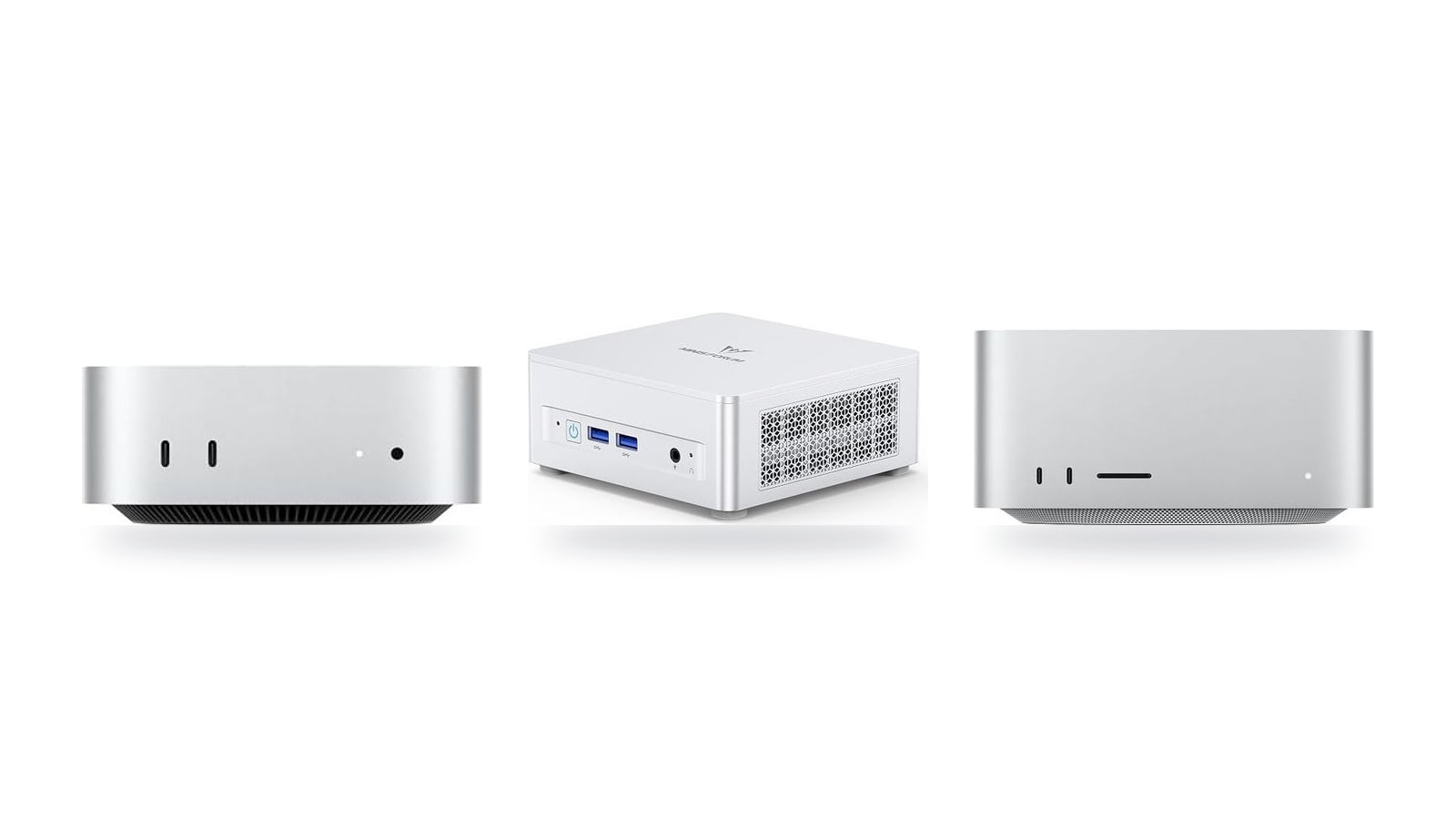
A $779 machine that generates half as fast as a $2,299.99 one is still the better value per dollar, and that arithmetic drives every ranking I publish. This page sets out how I produce that number: which models, which quantization levels, which runtimes, which context sizes and where the prices come from. Each review links back here so you can check the figures.
Current picks, by what you need
If you only want the answer, here it is. Two of these picks are value picks driven by the formula, generation tokens per second ÷ current price × 1,000. The other two are for buyers who need the 70B tier, where fitting the model in memory matters before value does. No pick is overridden by brand preference, and the sections below show every step of the math.
Disclosure: buy buttons on this page are affiliate links. If you purchase through them, I may earn a commission at no extra cost to you. It doesn't change the score, because the score is just arithmetic.
The current top picks at a glance

307GB/s unified memory for running local LLMs from a five-inch desktop
- 307GB/s bandwidth: faster LLM token generation
- GPU Neural Accelerators: quicker prompt processing
- Five-inch box: compact always-on agent server
- Fixed memory: choose LLM capacity upfront
- macOS only: CUDA-based tools won't run

Up to 128GB unified memory at 614GB/s for running large LLMs quietly on your desk
- 128GB unified memory fits large quantized LLMs
- 614GB/s bandwidth speeds token generation
- Thunderbolt 5 ports enable multi-Mac clustering
- 128GB cap limits the largest models
- No CUDA: relies on Metal/MLX tooling

128GB unified memory to run up to 200B-parameter models locally on Linux
- 128GB shared pool: loads 200B models
- Preloaded ROCm stack: less Linux setup
- 10GbE LAN: faster model file transfers
- 256 GB/s limits dense-model token speed
- Integrated 8060S trails discrete GPU throughput
Up to 32GB unified memory and 170GB/s in a 5x5-inch box for quiet, always-on local LLMs
- 32GB unified memory fits ~30B quantized models
- GPU Neural Accelerators speed prompt processing
- 5x5-inch footprint for always-on agent hosting
- 170GB/s bandwidth limits tokens per second
- 32GB cap rules out 70B models
Prices as of Nov 12, 2026; they may have changed since.
At $779 it's the cheapest machine in the catalog, so every token per second it decodes is worth 1.28 points, against 0.43 on the Mac Studio (M5 Max) and 0.21 on the Ryzen AI Halo. The trade-off is stated plainly on the spec sheet: 170 GB/s of bandwidth caps tokens per second, and its 32 GB fits ~30B quantized models but rules out 70B.

At $889 it's the lowest-cost way into Windows or Linux running llama.cpp on x86. That's $110 more than the Mac mini (M6), and you're paying it for the operating system, not speed. In fact it's slower: its dual-channel SO-DIMM memory runs at 89.6 GB/s against the Mac's 170 GB/s, so based on the spec sheet expect lower decode speed, not equal. Each tok/s also earns only 1.12 points to the Mac's 1.28, so it starts behind twice over. What you get back is a 96 GB RAM ceiling, up from 32 GB stock.
At $2,299.99 it's the pick for buyers targeting 70B at Q4, which means roughly 42 GB of weights loaded at once, before you add any context. Cheaper boxes fit that too. The Mac mini (M5 Pro) at $1,549 has 64 GB, and the UM890 Pro ($1,015) and AI X1 Pro-370 ($1,247) both fit 70B quantized. What separates them is bandwidth, which drives decode: 614 GB/s here, 307 GB/s on the Mac mini (M5 Pro), 89.6 GB/s on the two Minisforums. The Studio costs 1.48× the M5 Pro mini but has 2× its bandwidth, and 2.27× the UM890 Pro with 6.9× the bandwidth. On a 42 GB model, that's the difference between reading replies and waiting on them. Each tok/s is worth 0.43 points at this price. Confirm the memory configuration before you buy.
At $4,760 it costs 2.07× as much as the Mac Studio (M5 Max). To match that machine's score, it has to generate more than twice the tokens per second, and with 256 GB/s of bandwidth against the Studio's 614 GB/s, it's unlikely to come anywhere near that. Its 128 GB max memory also equals the Mac Studio's, so there's no extra room either. The reason to buy it is an x86 Linux box with a preloaded ROCm stack, not memory and not value.
A note on reading these picks. The score rewards cheapness, and it does so on purpose. A $779 box that generates replies at a usable speed will outscore a $4,760 workstation unless the workstation is dramatically faster. The next section has the exact multiple. That's the formula working as designed, not a bug.
It also means the top score doesn't automatically make the right purchase. If you want a 70B model, the Mac mini (M6) is out of the running no matter what it scores on 8B, because a machine that can't fit a model gets no score for that model. The next section explains why there's no partial credit.
The rest of the catalog sits in the mid band between $1,015 and $1,599: the MINISFORUM UM890 Pro, the MINISFORUM AI X1 Pro-370, the Mac mini (M5 Pro) and the GEEKOM A9 Max. All of them appear on the same yardstick in the table below.
All eight machines on one yardstick
| Product | Rating | Price | Buy |
|---|---|---|---|
 Apple Mac mini (M5 Pro) 307GB/s unified memory for running local LLMs from a five-inch desktop +307GB/s bandwidth: faster LLM token generation+GPU Neural Accelerators: quicker prompt processing -Fixed memory: choose LLM capacity upfront | $1,549.00 | Buy → | |
 Apple Mac Studio (M5 Max) Up to 128GB unified memory at 614GB/s for running large LLMs quietly on your desk +128GB unified memory fits large quantized LLMs+614GB/s bandwidth speeds token generation -128GB cap limits the largest models | $2,299.99 | Buy → | |
 AMD Ryzen AI Halo Editor's Choice 128GB unified memory to run up to 200B-parameter models locally on Linux +128GB shared pool: loads 200B models+Preloaded ROCm stack: less Linux setup -256 GB/s limits dense-model token speed | $4,760.00 | Buy → | |
| Apple Mac mini (M6) Best Value Up to 32GB unified memory and 170GB/s in a 5x5-inch box for quiet, always-on local LLMs +32GB unified memory fits ~30B quantized models+GPU Neural Accelerators speed prompt processing -170GB/s bandwidth limits tokens per second | $779.00 | Buy → | |
 GEEKOM A9 Max Ryzen AI 9 470 mini PC with room for 128 GB RAM to run larger local LLMs +128 GB RAM ceiling fits bigger models+2TB SSD stores many model files -Stock 32GB limits model size | $1,599.00 | Buy → | |
 MINISFORUM AI X1 Pro-370 128GB RAM ceiling and OCuLink for a GPU upgrade later +128GB RAM: fits 70B quantized models+OCuLink: add a desktop eGPU later -890M iGPU: slow tokens on large models | $1,247.00 | Buy → |
Prices as of Nov 12, 2026; they may have changed since.
The formula, and why it's per $1,000
The whole ranking comes down to one line of arithmetic, and you can redo it yourself with a calculator.
Score = generation tokens per second ÷ current price × 1,000
I scale to tokens per second per $1,000 for readability. Raw per-dollar figures come out with three leading zeros. At the Mac mini (M6)'s $779, each token per second of decode speed is worth 1.28 points, which is easier to compare than 0.00128. At the AMD Ryzen AI Halo's $4,760, that same token per second is worth 0.21 points. The Halo has to decode roughly 6.1× faster than the cheapest Mac just to tie it. Those are the two ends of the scale every machine in this guide is measured on.
| Spec | Value |
|---|---|
| Formula | Generation tok/s ÷ current price × 1,000 |
| Unit | Tokens per second per $1,000 |
| Speed input | Generation (decode) speed from published benchmarks |
| Reported separately | Prompt-processing speed (not scored) |
| Price input | Current retail/street price at check date |
| Model doesn't fit in memory | No score for that model |
| Partial credit for disk swapping | None |
| Point value of 1 tok/s at $779 | 1.28 |
| Point value of 1 tok/s at $4,760 | 0.21 |
Why decode speed and not prompt processing. Decode is the part you wait through on every reply, as the text arrives token by token. Prompt processing is how fast the machine reads your input before it starts answering. It matters when you paste in a 30-page contract and much less in back-and-forth chat. I list it next to each machine but leave it out of the headline number. Folding the two into one figure would hide the trade-off rather than show it.
Why "doesn't fit" gets nothing. If a model's weights don't fit in memory, the runtime starts swapping to disk. Published results in that situation drop to well under one token per second. That's slow enough that you'd give up and close the window. So there's no partial credit. For that model, the machine's score is blank, not low.
The score rewards cheap hardware that decodes fast and penalizes expensive hardware that doesn't decode proportionally faster. It says nothing about which models a machine can run in the first place. A Mac mini (M6) can top the chart on an 8B model and still have no score at all on the 70B tier, because its 32 GB cap rules 70B out. The MINISFORUM UM870 Slim also ships with 32 GB, so it only gets a 70B score after a RAM upgrade toward its 96 GB ceiling. If the model you need won't fit, a winning value score doesn't help you.
In practice the formula favors memory bandwidth per dollar, since bandwidth is what drives decode speed. Marketing figures like NPU TOPS don't enter into it. The GEEKOM A9 Max advertises 86 TOPS, the biggest number in the catalog, yet its memory runs at the same 89.6 GB/s as the $1,015 UM890 Pro. At $1,599, that TOPS figure buys it nothing on the score.
Models, quantization levels and context sizes
The matrix has 12 cells: three model sizes, two quantizations and two context lengths. Each cell gets its own tokens-per-second-per-dollar score. If you only ever run an 8B model at Q4 for chat, read that one cell and ignore the 70B column entirely. It answers a question you aren't asking.
Three model tiers
- 8B fits on every machine in the catalog, down to the $779 Mac mini (M6). This tier is about raw speed per dollar, because nothing gets excluded for lack of memory.
- 32B-class is the useful middle ground. It is noticeably smarter than 8B for coding and reasoning, and it is the first tier where some machines start running short of headroom. The Mac mini (M6)'s 32 GB fits ~30B quantized models, but ~20 GB of weights plus ~8 GB of KV cache at 32K leaves very little for macOS.
- 70B is the memory stress case. A machine either has the memory to fit it or it doesn't, which makes this the tier where the no-fit rule removes the most machines.
Two quantization levels
Q4_K_M is the everyday default. It is what most people download, and it is the smallest format I'd trust for serious use. Q8_0 is scored where memory allows. It needs roughly 1.7–1.8× the memory of Q4 (see the table below) in exchange for output closer to full precision. Generation speed tracks memory bandwidth, so you also give up some tokens per second.
Two context sizes
4K tokens covers chat-style use. 32K tokens covers long documents, codebases and transcripts. Longer context grows the KV cache, which sits in memory alongside the weights, so a model that fit comfortably at 4K can run out of memory at 32K. That is why context gets its own row instead of a footnote.
| Tier | 8B | 32B-class | 70B |
|---|---|---|---|
| Why it's in the matrix | Baseline that every catalog machine can run | Useful middle ground for coding and reasoning | Memory stress case |
| Approx. weights at Q4_K_M | ~5 GB | ~20 GB | ~42 GB |
| Approx. weights at Q8_0 | ~8.5 GB | ~35 GB | ~75 GB |
| Approx. extra KV cache at 32K context | ~4 GB | ~8 GB | ~10 GB |
| Who should read this column | Chat, quick coding help, tight budgets | Daily-driver local assistant | Buyers who need 70B and will pay for memory |
These are ballpark figures based on typical published model file sizes and a standard 16-bit KV cache. Your exact numbers will shift slightly with the specific model and runtime settings. The point the table makes is plain: 70B at Q8 with 32K context needs roughly 85 GB before the operating system gets its share. That one cell explains why only the 128 GB machines attempt it with room to spare, and they range from the $1,247 AI X1 Pro-370 to the $4,760 AMD Ryzen AI Halo. Since all of them share the same 128 GB ceiling, the price spread isn't buying memory. Bandwidth decides which of them you'll actually enjoy using.
Runtimes and how prices are sourced
Every score I publish is two numbers from other people, combined with arithmetic you can redo. I don't run lab measurements. I collect published benchmarks and public community result threads, cite each one, and pair them with a dated retail price.
Which runtimes count
| Runtime | Runs on | Why it's on the list |
|---|---|---|
| llama.cpp | x86 and Apple machines | The common reference point, so figures from different sources line up |
| Ollama | x86 and Apple machines | Built on llama.cpp, and it's what many people actually install |
| MLX | Apple Silicon only | Apple's own framework, which can post different speeds than llama.cpp on the same chip |
The runtime sits next to every figure. The same Mac mini (M6) can show one speed under MLX and another under llama.cpp. Without that label, two "Mac mini numbers" could look like a contradiction when they're really two different pieces of software. It also means the x86 boxes, such as the MINISFORUM UM890 Pro or the AMD Ryzen AI Halo, only get llama.cpp-family figures, since MLX doesn't run on them.
From figure to score
- Find a published speed. The source has to be a published benchmark or a public community result thread that I can cite and you can read yourself.
- Check that it's complete. The model, the quant (Q4_K_M or Q8_0) and the context size (4K or 32K) must all be stated. If the quant or context size is missing, I drop the figure. A "45 tok/s!" post with no settings attached can't be compared to anything.
- Tag the runtime. I record whether the figure came from llama.cpp, Ollama or MLX, and it stays attached to the number from then on.
- Price it. I take the current retail list price or street price from major retailers and record the check date. Used and refurbished prices are noted in the text, but they never set the headline score, because stock and condition vary too much from one listing to the next.
- Do the division. Generation tokens per second ÷ price × 1,000, applied identically to all eight machines.
- Refresh when the inputs move. I recalculate whenever a price changes meaningfully or a newer runtime release shifts published speeds.
The score is a ratio, so either side can tip it. Suppose the GEEKOM A9 Max dropped 10% from $1,599. At the same speed, its score would rise by about 11%. Now suppose an MLX release lifted published decode speeds on the Mac Studio (M5 Max). It would climb the list with no new silicon. If a pick changes position between visits, check the dates first: either the price or the runtime moved.
That trade-off is deliberate. A ranking that never changed would be easier to quote, but it would quietly drift away from what these machines cost and how fast they run today.