LLM quantization explained: Q4 vs Q8 vs FP16 and what it means for your hardware
A 70B-parameter model needs roughly 140 GB of memory at FP16 and about 42 GB at Q4, which turns a server problem into a desktop problem. That shrink is what quantization is, and it explains most of the local-LLM benchmark numbers published online.
If you only read one part of this page, read this. Nearly every local-LLM buying question comes down to four decisions. The rest of the article explains why they hold up.
Decision 1: Q4 is the starting point, not a compromise. The quantization label that matters most is Q4_K_M. It shrinks a model to under a third of its FP16 size. That's the difference between a model fitting in your machine's memory and not fitting at all. Published benchmarks show a small bump in perplexity. In real use, that shows up as the occasional slightly worse word choice, not a model that suddenly can't follow instructions. I'd start every download here and only move off it with a reason.
Decision 2: Q8 is what you buy with spare memory. Q8 needs nearly twice the memory of Q4 (about 1.06 versus 0.6 bytes per parameter). In exchange you get output that published perplexity results put within rounding distance of FP16. If your chosen model fits at Q8 with room to spare, take it. If moving to Q8 would force you to drop down a model size, don't. The extra precision is worth far less than the extra parameters.
FP16 mostly belongs to people fine-tuning or running evaluation baselines. For running models at home, it needs nearly twice Q8's memory for a difference the benchmarks can barely find.
Decision 3: size beats precision, down to a point. This rule saves people the most money. A bigger model at Q4 generally beats a smaller model at FP16 for the same memory. A larger model has learned more, and Q4 keeps most of that intact.
The rule stops working below about 3 bits per weight. Quality there falls off noticeably: more rambling, more factual slips, more broken code. The two options compare like this:
| Same memory budget | What you get | Usual outcome |
|---|---|---|
| Smaller model at FP16 | Full precision, fewer parameters | Clean but limited |
| Larger model at Q4_K_M | Slight rounding, far more parameters | Generally the better answers |
| Even larger model at ~2–3 bits | Heavy rounding, most parameters | Noticeably degraded; not worth it |
Decision 4: shop for the model, then the machine. Pick the largest model you actually want to run. Look up its Q4 size, then add headroom. You need memory for the KV cache, which grows with context length, and for the operating system, which doesn't go away because you're excited about a 70B model.
That figure is your memory target. Every spec sheet should be judged against it. Labels like "AI-ready" or a big TOPS number don't tell you whether a model will load. Memory size and memory bandwidth decide that.
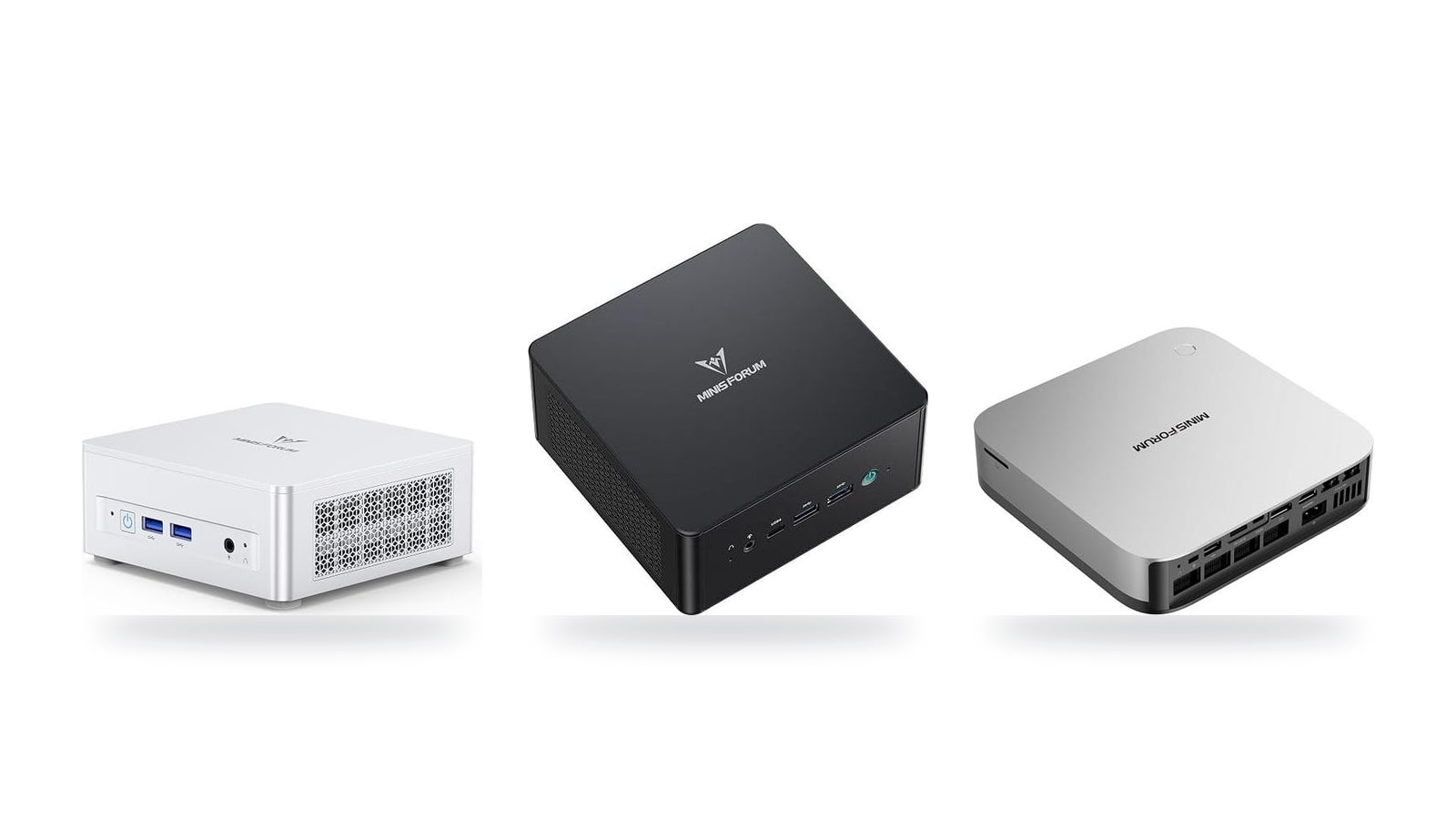
Roughly, the machines here split by model size. The Apple Mac mini (M6) at $779 and the MINISFORUM UM870 Slim at $889 suit 7–14B models. The MINISFORUM UM890 Pro, MINISFORUM AI X1 Pro-370, GEEKOM A9 Max and Apple Mac mini (M5 Pro) are aimed at the 14–32B tier. For 70B models at Q4, you're in high-end territory: the Apple Mac Studio (M5 Max) or the AMD Ryzen AI Halo at $4,760. The hardware section below has the details.
The trade-off in one sentence: Q4 gives up a little quality in exchange for a model class or two of headroom on the same hardware. For most people running models locally, that's the right deal.
What quantization actually does to a model
A language model is, underneath everything, a very large pile of numbers called weights. An 8B model has roughly 8 billion of them, and every reply it generates is arithmetic on those numbers. The question quantization answers is how many bits you spend storing each one. FP16 uses 16 bits per weight. Q8 works out to about 8.5 bits, and Q4_K_M to about 4.8 bits once you count the bookkeeping overhead. The labels say 8 and 4, but the real cost is a bit higher, which is worth remembering when a download is larger than the name implies.
Rounding in blocks, with a shared scale
The method is less exotic than the name suggests. The weights are split into small blocks, typically a few dozen values each. For each block, the quantizer finds the range the values span, stores one shared scale factor for that range, and rounds every weight to the nearest of a small set of levels. At 8 bits that's 256 possible levels per block. At 4 bits it's just 16. The scale factors are the reason a "4-bit" file averages closer to 5 bits per weight.
This is lossy compression, closer to JPEG than to ZIP. A ZIP file restores every byte exactly. A JPEG discards detail your eye mostly won't miss, and a quantized model discards precision the network mostly won't miss. You can't recover the original FP16 weights from a Q4 file, just as you can't recover the RAW photo from a JPEG.
Why it mostly works
Neighboring weights in a block tend to sit in a narrow range, so 16 well-placed levels cover them better than you'd expect. Each individual rounding error is tiny. Across billions of weights, those errors partly cancel out instead of piling up.
Large models also carry a lot of redundancy. No single weight decides whether the model knows the capital of France. That's why the quality loss at Q4 is small, and why it shrinks further as models get bigger. The redundancy runs out when you squeeze too hard, which is where the falloff below about 3 bits mentioned earlier comes from.
What the "K" buys you
Plain rounding treats every layer the same, and that's the weakness of naive 4-bit formats like the older Q4_0. Some parts of a transformer are more sensitive than others. In llama.cpp, certain attention and feed-forward tensors visibly degrade output when they're crushed to 4 bits, while most of the rest barely notice.
The K-quant variants such as Q4_K_M and Q5_K_M handle this with mixed precision:
- They spend extra bits on the sensitive tensors. Q4_K_M stores some of them at 6 bits.
- They use a smarter two-level block structure for everything else, with finer-grained scales.
The "_M" means medium, a middle setting between the leaner "_S" and the heavier "_L" mixes. Published perplexity comparisons consistently put Q4_K_M ahead of Q4_0 at nearly the same file size. That's why it's the default most people download, and why I'd treat it as the baseline rather than an aggressive compromise.
Where FP16 still earns its memory
FP16 is the reference the quantized versions are measured against. It matters in two situations:
- Fine-tuning, where training updates depend on precise weights.
- Research and evaluation, where you need an uncompressed baseline to compare against.
If your plan is to chat, summarize documents or get coding help from a model on your desk, FP16 costs roughly three times the memory of Q4_K_M. In exchange you get a quality difference that published benchmarks struggle to show. That memory is far better spent running a bigger model, a point the memory math below makes concrete.
The memory math: bytes per parameter
The calculation is simple: file size in GB ≈ parameters in billions × bytes per parameter. A model's name gives you the first number. The quantization label gives you the second. Multiply them and you know whether the weights fit before you download anything.
- 2 bytes/paramFP16, the full-precision baseline most models are released in
- ~1.06 bytes/paramQ8, slightly over 1 byte because each block also stores a scale value
- ~0.6 bytes/paramQ4_K_M, the default most local runners ship with
- 42 GBa 70B model at Q4, which brings it within reach of a well-equipped desktop
Here's how that works out for the model sizes people actually download. The 8B and 70B rows are the ones to remember; the others follow from the same multiplication.
| Model size | FP16 (~2 B/param) | Q8 (~1.06 B/param) | Q4_K_M (~0.6 B/param) |
|---|---|---|---|
| 8B | ~16 GB | ~8.5 GB | ~4.9 GB |
| 14B | ~28 GB | ~15 GB | ~8.4 GB |
| 32B | ~64 GB | ~34 GB | ~19 GB |
| 70B | ~140 GB | ~75 GB | ~42 GB |
The 70B row shows why this page recommends Q4. At 140 GB, FP16 rules out every desktop machine most people would consider buying. At 42 GB, the same model fits on a 64 GB machine, though with only a few GB left for context. Published perplexity comparisons put the quality cost of that saving at a small one.
The weights aren't the whole bill
The table covers only the weights. Two other things also need memory.
The KV cache. For each token in the conversation, the model keeps attention keys and values so it doesn't recompute them. That cache grows with context length. Plan on a few extra GB for normal chat-length contexts. Plan on considerably more if you paste in long documents or set the context window to 32K tokens or higher. A model that loads fine can still run out of memory twenty minutes into a long coding session. The usual cause is this cache, not the weights.
The operating system and everything else running. Your browser, editor and OS all need memory too. On a discrete-GPU PC, the model has to fit in VRAM, which is a separate pool from system RAM.
On unified-memory machines (Apple Silicon Macs and AMD's Ryzen AI chips with shared memory), the CPU and GPU draw from one pool. The GPU can't claim every last gigabyte. The OS reserves part of the pool, and by default only a portion of the total is made available to the GPU. A 64 GB machine does not give you 64 GB for a model. Size your purchase against the usable figure, not the number on the box.
A worked example
Say you want a 32B model for coding on a 32 GB unified-memory machine:
- Weights at Q4_K_M: 32 × 0.6 ≈ 19 GB.
- KV cache for moderate context: add a few GB, so roughly 22–23 GB.
- OS and apps: with a realistic reservation, a 32 GB machine leaves you somewhere in the low-to-mid 20s.
That's very tight. It may load, then struggle once the context gets long. On a 48 GB or 64 GB machine it fits comfortably. Moving the same model up to Q8 (~34 GB of weights alone) rules out the 32 GB machine entirely.
That's the reason to buy for the model size you want at Q4, not at FP16. FP16 takes more than three times the memory of Q4_K_M and, because generation is bandwidth-bound, runs at roughly a third of the speed, for a quality gain that published comparisons struggle to measure. The step-by-step sizing process, including long-context budgets, is in the how-to-choose section below.
Q4 vs Q8 vs FP16 side by side
Here are the three formats compared on the four things that matter when you're choosing. The size column decides what you can load at all. Quality and speed decide whether you'll enjoy using it.
| Format | Size vs FP16 | Quality (published perplexity) | Generation speed | Best use |
|---|---|---|---|---|
| FP16 | 100% (baseline) | Reference point | Slowest, since it moves the most bytes per token | Fine-tuning, evaluation baselines |
| Q8_0 | ~53% | Effectively lossless | Roughly 2× FP16 on the same machine | Plenty of memory and accuracy matters |
| Q6_K | ~41% | Within a hair of Q8 | Faster than Q8 | Model fits easily and you want a margin |
| Q5_K_M | ~36% | Slightly better than Q4_K_M | Close to Q4 | Sensible step up from Q4 when there's room |
| Q4_K_M | ~30% | Small, measurable increase | Roughly 3× FP16 | Running the biggest model your machine allows |
| Q3 / Q2 | Under 30% | Clear degradation, worst on coding and math | Fastest | Last resort only |
Size is the part that's easiest to measure. Q8 cuts the file to about half of FP16, and Q4_K_M cuts it to under a third. In practice, a machine that can only hold one FP16 model can hold the same model at Q4 with plenty of room left for context. It could also hold a model roughly three times larger. The speed figures in the table are theoretical ratios based on bytes read per token. The next section covers why they hold for generation but not for prompt processing.
Quality is where the marketing usually gets vague, so here's what published perplexity comparisons actually show. Q8 sits so close to FP16 that you'd struggle to find the difference outside a benchmark harness. Q4_K_M shows a small but real bump in perplexity. You can see it on a chart, and most people won't notice it in everyday chat or summarizing. Below Q4 the curve bends sharply. Q3 and Q2 models start making errors you will notice, such as off-by-one logic in code, botched arithmetic and multi-step reasoning that drifts off course.
The in-between formats are underrated
Q5_K_M and Q6_K fill the gap between Q4 and Q8. Pick one of them if your target model fits at Q4 with 20% or more of your memory still free after the KV cache. You get most of Q8's fidelity for noticeably less memory and bandwidth. If the model only barely fits at Q4, stay at Q4.
For best use, I'd keep each format to a narrow job:
- FP16 is for people training or fine-tuning, or for anyone who needs an unquantized baseline to measure other formats against. For plain inference, it doubles your memory bill over Q8 for a difference published benchmarks can barely detect. That's poor value for anything you're buying hardware for.
- Q8 is the right choice when memory isn't your constraint and you care about precision. Coding assistants and structured data extraction are good examples. A 14B model at Q8 on a machine with headroom is a comfortable, near-lossless setup.
- Q4_K_M is the default for everyone else. Its purpose is reach. It lets a given amount of RAM run a meaningfully larger model, and a larger model at Q4 generally beats a smaller one at Q8.
The trade-off, stated plainly: going from Q8 to Q4 costs you a small, measurable slice of accuracy. In return you get roughly 40% less memory and about 1.7× faster generation. For most local setups that's a good deal. The exceptions are a model that already fits at Q8 with room to spare, or work like math and code, where small errors compound. In those cases, spend the memory on Q6 or Q8.
Why smaller files also mean faster replies
Quantization doesn't just decide whether a model fits. It also sets how fast the model can talk, and that matters every time you hit enter.
When a local model writes a reply, it generates one token at a time, and each new token requires reading roughly the entire set of weights from memory once. The math units on a modern chip finish their share of that work long before the next batch of weights arrives, so the bottleneck is memory bandwidth, not compute. That gives you a rough rule:
Tokens per second ≈ memory bandwidth ÷ model size.
It's a ceiling, not a promise. Published benchmarks usually land noticeably below it once overhead and the KV cache are counted. Still, it predicts the ratio between two setups well, and that's the part you need when you're deciding what to buy.
What the rule predicts
Here's the ceiling for the model sizes from the memory math above, at two illustrative bandwidth tiers. These aren't specific machines. Roughly 120 GB/s is typical of a dual-channel DDR5 mini PC, and roughly 270 GB/s is typical of a wider unified-memory design.
| Model and quantization | File size | Ceiling at ~120 GB/s | Ceiling at ~270 GB/s |
|---|---|---|---|
| 8B at FP16 | ~16 GB | ~7.5 tok/s | ~17 tok/s |
| 8B at Q8 | ~8.5 GB | ~14 tok/s | ~32 tok/s |
| 8B at Q4_K_M | ~4.9 GB | ~24 tok/s | ~55 tok/s |
| 70B at Q8 | ~75 GB | ~1.6 tok/s | ~3.6 tok/s |
| 70B at Q4_K_M | ~42 GB | ~2.9 tok/s | ~6.4 tok/s |
Going from Q8 to Q4 cuts the bytes read per token by about 40%, so it raises the theoretical generation speed by roughly 1.7× on the same hardware. For an 8B model that's the difference between a reply that streams comfortably and one you watch word by word. For 70B, it's the difference between barely usable and tolerable for reading along.
The table also shows why bandwidth is the spec I look at first, ahead of any "AI TOPS" figure. A 70B model at Q4 on a ~120 GB/s machine tops out under 3 tokens per second, even if it fits. That's slower than most people read. It's also why the Apple Mac mini (M5 Pro) gets the bandwidth discussion later in this guide: the extra bandwidth goes straight into reply speed.
The number quantization doesn't fix
Before the model writes anything, it has to process your prompt. That stage is called prefill. All the prompt tokens are handled in parallel as big matrix multiplications, so this stage is compute-bound, not bandwidth-bound. A Q4 file doesn't make prefill twice as fast. On some backends it can even be slightly slower than Q8, because the weights have to be unpacked before the math runs.
In practice, prefill is what you feel when you paste a long document, a big chunk of code or a lengthy chat history. Generation speed is what you feel while the answer streams. A machine can be quick at one and slow at the other. GPU and matrix-unit throughput drive prefill, while memory bandwidth drives generation.
That's why serious benchmarks report two separate numbers. In llama.cpp's llama-bench, they appear as "pp" (prompt processing, e.g. pp512) and "tg" (token generation, e.g. tg128). A single "tokens per second" figure with no label is usually the generation number, and on its own it doesn't tell you how the machine handles long prompts.
Reading other people's charts
This is where cross-site comparisons quietly fall apart. A Q4 result and a Q8 result for the same model are not comparable. From the math above, the Q4 run should be roughly 1.7× as fast before the hardware makes any difference. A chart showing one mini PC at 40 tok/s and another at 22 tok/s might just be comparing two quantization levels.
Pro tip
Before trusting a benchmark comparison, check four things: the exact model (8B and 70B aren't interchangeable), the quantization (Q4_K_M vs Q8_0), which number it is (prompt processing or generation), and the context length used. If any of these differ between two results, compare each machine against the bandwidth ÷ size ceiling rather than against each other.
The practical upshot for buyers matches the rest of this page: pick hardware for the model you want at Q4, then check its bandwidth to see whether replies will stream or crawl. Memory capacity decides whether the model loads. Bandwidth decides whether you'll enjoy using it.
Which machines run which model sizes
The question to ask of any machine here is how many gigabytes of memory can the model use, and how fast can the chip read them. Core counts and TOPS figures come second. Using the Q4_K_M sizes from earlier (roughly 0.6 bytes per parameter), here is how the model classes translate into memory you should buy:
| Tier | Target models | Q4_K_M weights (approx.) | Memory to aim for |
|---|---|---|---|
| Entry | 7–14B at Q4, 7–8B at Q8 | 5–9 GB | 16 GB minimum, 24–32 GB comfortable |
| Mid-range | 14–32B at Q4 | 9–20 GB | 32 GB minimum, 48–64 GB comfortable |
| High end | 70B at Q4 | about 42 GB | 64 GB minimum, 96–128 GB comfortable |
The "comfortable" column leaves room for the OS, a browser and a KV cache that grows with long contexts. The "minimum" column is where you'll be closing tabs to make things fit.
Entry: 7–14B, the cheapest ways in
The Apple Mac mini (M6) at $779 and the MINISFORUM UM870 Slim at $889 both handle the small-model class. That covers 8B models at Q8 (about 8.5 GB) and 14B models at Q4 (about 8.4 GB). The configuration you pick matters more than the badge. A 16 GB machine runs an 8B model at Q4 without trouble, but a 14B model at Q4 plus macOS or Windows plus a browser fills it.
The two take different routes. The Mac mini's unified memory is soldered, so whatever you pay for at checkout is what you have for the life of the machine. The UM870 Slim uses SO-DIMM slots you can upgrade later, but based on the spec sheet its memory bandwidth is lower. On the same model, expect it to produce tokens more slowly.

At $779 it's the lowest price of entry in the catalog, and unified memory gives it a bandwidth edge for token generation. Pay for more than the base memory if 14B models are your goal.

SO-DIMM slots let you start with modest memory and add more once you know which models you actually use. The trade-off is slower replies than the Mac at the same model size.
Mid-range: 14–32B in comfort
This tier gets you to the 32B class at Q4. That's where local coding assistants and longer-context work start to feel genuinely useful rather than like a demo. The MINISFORUM UM890 Pro ($1,015), GEEKOM A9 Max ($1,599) and MINISFORUM AI X1 Pro-370 ($1,247) all let you fit plenty of SO-DIMM RAM, so a roughly 19 GB 32B model plus a decent context window isn't a squeeze.
Fitting a model and running it quickly are different things, though. Token generation is bandwidth-bound, and socketed DDR5 on these boards doesn't match Apple's unified memory. A 32B model will load fine and then make you wait on each reply. If you mostly run 14B models and want room to experiment, that's an acceptable deal. If you want 32B at conversational speed every day, read the next pick.

At $1,015 it's the cheapest route in the catalog to enough memory for 32B at Q4. Expect slow replies at that size, and snappier ones at 14B.

It sits between the UM890 Pro and GEEKOM on price, with the same SO-DIMM flexibility. The NPU marketing does little for llama.cpp-style inference, so judge it on RAM capacity.

It offers the same "add lots of RAM" proposition as the MINISFORUM boxes, but at $1,599 it costs about as much as the faster Mac below. Buy it for the platform you prefer, not for speed.
The Mac mini (M5 Pro): fewer gigabytes, faster ones
The Apple Mac mini (M5 Pro) at $1,549 makes the opposite trade. You can never add memory after purchase, but you get substantially more bandwidth than the mid-range AMD boxes. By the bandwidth ÷ size rule, the same 19 GB 32B Q4 model should generate noticeably faster on it. The catch is buying the right memory up front: 32 GB is the floor for this class, and more if you want long contexts.
Choose it if speed on mid-size models matters more than future upgrades. Configure the memory you'll need for the next few years, because you won't be adding any later.
High end: 70B at Q4
Only two catalog machines target the large unified-memory configurations a 70B model needs: the Apple Mac Studio (M5 Max) and the AMD Ryzen AI Halo. A 70B model is about 42 GB at Q4 before you add any context. Check that the configuration you buy actually has 64 GB or more, because a listed starting price doesn't always include that much.
Only buy these if you'll really run 70B models. For 32B and below, the Mac mini (M5 Pro) or a well-equipped UM890 Pro gives you most of the experience for a fraction of the money.

The M5 Max's memory bandwidth is what makes a 42 GB model produce tokens at a usable pace rather than a crawl. Make sure you buy it with enough memory for the models you plan to run.

At $4,760 it's the catalog's most expensive option, aimed at buyers who want large unified memory without leaving x86 and Linux. It's hard to justify unless 70B is a daily workload rather than a curiosity.
Compare the catalog at a glance
| Product | Rating | Price | Buy |
|---|---|---|---|
 Apple Mac mini (M5 Pro) 307GB/s unified memory for running local LLMs from a five-inch desktop +307GB/s bandwidth: faster LLM token generation+GPU Neural Accelerators: quicker prompt processing -Fixed memory: choose LLM capacity upfront | $1,549.00 | Buy → | |
 Apple Mac Studio (M5 Max) Up to 128GB unified memory at 614GB/s for running large LLMs quietly on your desk +128GB unified memory fits large quantized LLMs+614GB/s bandwidth speeds token generation -128GB cap limits the largest models | $2,299.99 | Buy → | |
 AMD Ryzen AI Halo Editor's Choice 128GB unified memory to run up to 200B-parameter models locally on Linux +128GB shared pool: loads 200B models+Preloaded ROCm stack: less Linux setup -256 GB/s limits dense-model token speed | $4,760.00 | Buy → | |
| Apple Mac mini (M6) Best Value Up to 32GB unified memory and 170GB/s in a 5x5-inch box for quiet, always-on local LLMs +32GB unified memory fits ~30B quantized models+GPU Neural Accelerators speed prompt processing -170GB/s bandwidth limits tokens per second | $779.00 | Buy → | |
 GEEKOM A9 Max Ryzen AI 9 470 mini PC with room for 128 GB RAM to run larger local LLMs +128 GB RAM ceiling fits bigger models+2TB SSD stores many model files -Stock 32GB limits model size | $1,599.00 | Buy → | |
 MINISFORUM AI X1 Pro-370 128GB RAM ceiling and OCuLink for a GPU upgrade later +128GB RAM: fits 70B quantized models+OCuLink: add a desktop eGPU later -890M iGPU: slow tokens on large models | $1,247.00 | Buy → |
Prices as of Nov 12, 2026; they may have changed since.
How to choose your quantization
Most people pick a quantization the wrong way round. They grab a model they've heard of, download the biggest file, and then wonder why it crawls or crashes. Start from the memory you actually have and let that pick the model. The steps below are the order I'd work through on any machine, from a Mac mini (M6) to an AMD Ryzen AI Halo.
- Work out your usable memory. Take total RAM (or unified memory), subtract what the OS and your open apps need, usually 4–8 GB, then set aside another 10–20% for the KV cache and runtime overhead. On a Mac, macOS also limits by default how much unified memory the GPU can claim, roughly two-thirds to three-quarters of the total depending on configuration. Treat the result as your hard ceiling.
- Pick the largest model whose Q4_K_M file fits under that ceiling. At about 0.6 bytes per parameter, that's roughly 8.4 GB for a 14B model, 19 GB for a 32B and 42 GB for a 70B. Step up to Q5_K_M or Q8 only if there's clear room left, meaning several GB of headroom after the file loads, not a few hundred MB.
- If replies are too slow, drop a model size before dropping below Q4. Generation speed tracks file size because every token reads the whole model from memory. Going from a 70B at Q4 (42 GB) to a 32B at Q4 (19 GB) roughly doubles token speed. Squeezing the 70B down to Q3 only trims about a fifth of the file and costs noticeably more quality.
- Re-check the fit when you need long context. The KV cache grows with every token in the window. Based on the published architecture of a typical 8B model with grouped-query attention, it needs about 4 GB at 32K tokens at FP16. A 70B-class model needs 10 GB or more. A setup that fits comfortably at 4K context can run out of memory at 32K.
Here's how the arithmetic plays out at common memory sizes. These are rough budgets, not guarantees, because how much the OS takes depends on what else you have open.
| Total memory | Rough usable after OS + ~15% reserve | Largest model at Q4_K_M | Room to step up? |
|---|---|---|---|
| 16 GB | ~9 GB | 14B (~8.4 GB), tight | 8B at Q8 (~8.5 GB) is the safer choice |
| 32 GB | ~22 GB | 32B (~19 GB) | 14B at Q8 (~15 GB) fits easily |
| 64 GB | ~49 GB | 70B (~42 GB) | Little left over for long context |
| 128 GB | ~100 GB | 70B (~42 GB) | 70B at Q8 (~75 GB) fits with room for context |
The 64 GB row is the one to watch. A 70B at Q4 does fit, but with only about 7 GB to spare. A 32K-token conversation can use most of that, and then you're swapping. If 70B with long context is the actual goal, the high-end tier from the earlier section (the AMD Ryzen AI Halo or a high-memory Apple Mac Studio (M5 Max)) is what makes step 4 painless. For 7–14B models, the Apple Mac mini (M6) or MINISFORUM UM870 Slim already clears step 2 at Q4 and often at Q8.
Cheap fix before you buy more memory
llama.cpp and the tools built on it can store the KV cache at 8-bit instead of FP16, which roughly halves its footprint. Published comparisons show minimal quality impact. If step 4 is the only one failing, try that before shopping for a bigger machine or dropping to a smaller model.
A final sanity check is to load the model, fill the context to the length you actually use, and watch memory pressure. If the system starts swapping to disk, generation speed collapses to a fraction of normal, and no quantization choice will rescue that. Go back to step 2 and pick one size down.
Questions readers ask
These are the questions that keep coming up once people have the memory math in front of them and start pricing actual machines.
Frequently asked questions
Is Q4 noticeably worse than FP16 for everyday chat and coding?
For chat, usually not. In llama.cpp's published perplexity comparisons, Q4_K_M adds only a few percent over the FP16 baseline. In blind conversation that's hard to spot. You'd mostly notice it as a slightly flatter word choice, not as wrong answers.
Coding is more sensitive. A single wrong token breaks a function call or an indent, and small models lose more from quantization than large ones. An 8B coder at Q4 slips more often than a 32B coder at Q4. If you write a lot of code on a small model and have the room, Q5_K_M or Q8 is the cheap fix. On an 8B model, Q8 costs about 3.6 GB more than Q4, and Q5_K_M less than that. On a 70B model, Q8 adds about 33 GB, which is a much bigger ask.
What do the suffixes in Q4_K_M, Q5_K_S and IQ3 mean?
The number is the rough bits per weight. Q4 is about 4 bits and Q5 about 5.
- K means a "K-quant." The file isn't uniform: it stores sensitive tensors, like attention and output layers, at higher precision.
- S / M / L (small, medium, large) say how many tensors get that upgrade. Q5_K_S is the leanest Q5. Q4_K_M is the usual middle ground.
- IQ means an "i-quant." It uses an importance matrix and denser encoding to squeeze more quality out of very low bit counts. IQ3 is about 3 bits.
IQ formats are the better choice if you must go below Q4. On some backends they decode slower than K-quants, though. And remember that quality drops off noticeably under about 3 bits whatever the label says.
Should I pick a 70B model at Q4 or a 32B model at Q8?
Start with size. 70B at Q4 is about 42 GB. 32B at Q8 is about 34 GB. That's closer than most people expect, so the choice is less about fit and more about quality versus speed.
On quality, the general rule from published comparisons holds: the bigger model at Q4 usually wins on reasoning and knowledge. Q8 can't put back parameters the model never had.
On speed, generation is bandwidth-bound. The 70B reads roughly 25% more bytes per token, so expect it to be about that much slower on the same machine. If replies already feel sluggish at 32B, the 70B will try your patience. If you can tolerate the wait, the 70B is the better model.
Neither one fits comfortably on a 32 GB box. This choice only comes up on machines with 48 GB or more of usable memory.
Do Apple Silicon and AMD machines handle quantized models differently (GGUF vs MLX)?
The file format differs more than the idea behind it.
GGUF is llama.cpp's format. It runs everywhere:
- Metal on Macs
- Vulkan or ROCm on AMD machines like the MINISFORUM UM890 Pro or the AMD Ryzen AI Halo
MLX is Apple's own framework and only runs on Apple Silicon. Its 4-bit files land at roughly the same size as Q4 GGUF. Community benchmarks often show MLX generating somewhat faster on a Mac mini (M5 Pro) or Mac Studio (M5 Max), but the gap varies by model.
If you're on a Mac, keep both options open and use whichever is faster for your model. On AMD, GGUF is the practical choice. Either way, the format doesn't change the memory ceiling: macOS only lets the GPU use part of unified memory by default, so a 64 GB Mac won't give you all 64 GB for weights unless you raise that limit.
Does quantization reduce the context length a model supports?
No. Quantizing the weights doesn't change the maximum context the model was trained for. A 128K-context model is still a 128K-context model at Q4.
What limits you in practice is memory. The KV cache grows with every token of context, and it sits on top of the weights. A long-document session can eat several extra gigabytes, which is why the how-to-choose section budgets 10–20% for it.
llama.cpp can also quantize the KV cache, to q8_0 for example, as a separate setting. That roughly halves the cache with little quality loss. It's often a better trade than dropping your weights from Q4 to Q3 just to fit a longer prompt.